
Task Session has completely streamlined how we manage projects and clients. The Kanban board and reporting features keep my team on track, and the invoicing system saves us hours every week.

Marketing Agency Owner

05/01/2026
Give your clients one place to communicate, review work, and share feedback—without emails, confusion, or delays.
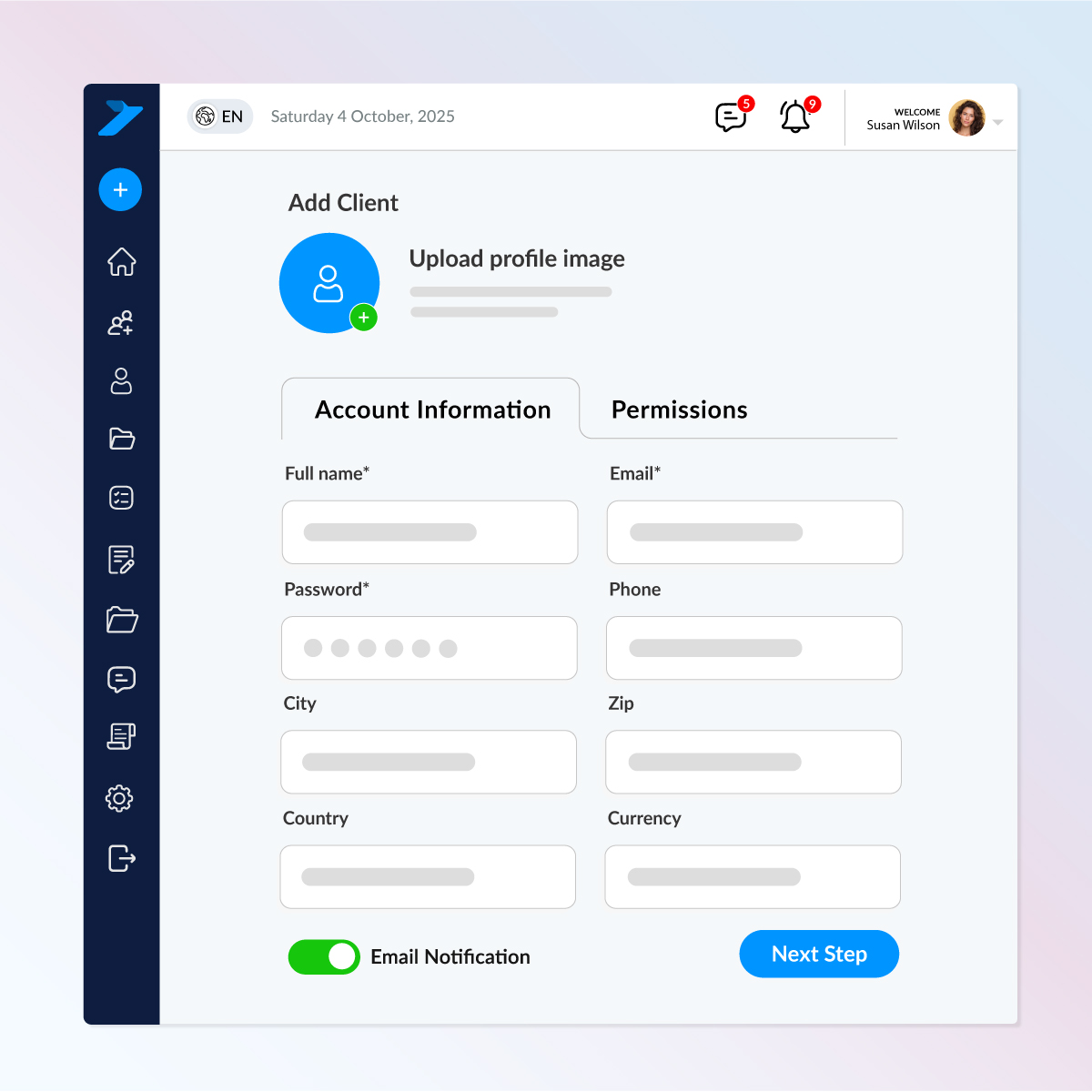
Add new clients effortlessly through a streamlined onboarding form.
Just enter basic details, set permissions, and Task Session instantly sends them secure login access via email.
Key Highlights
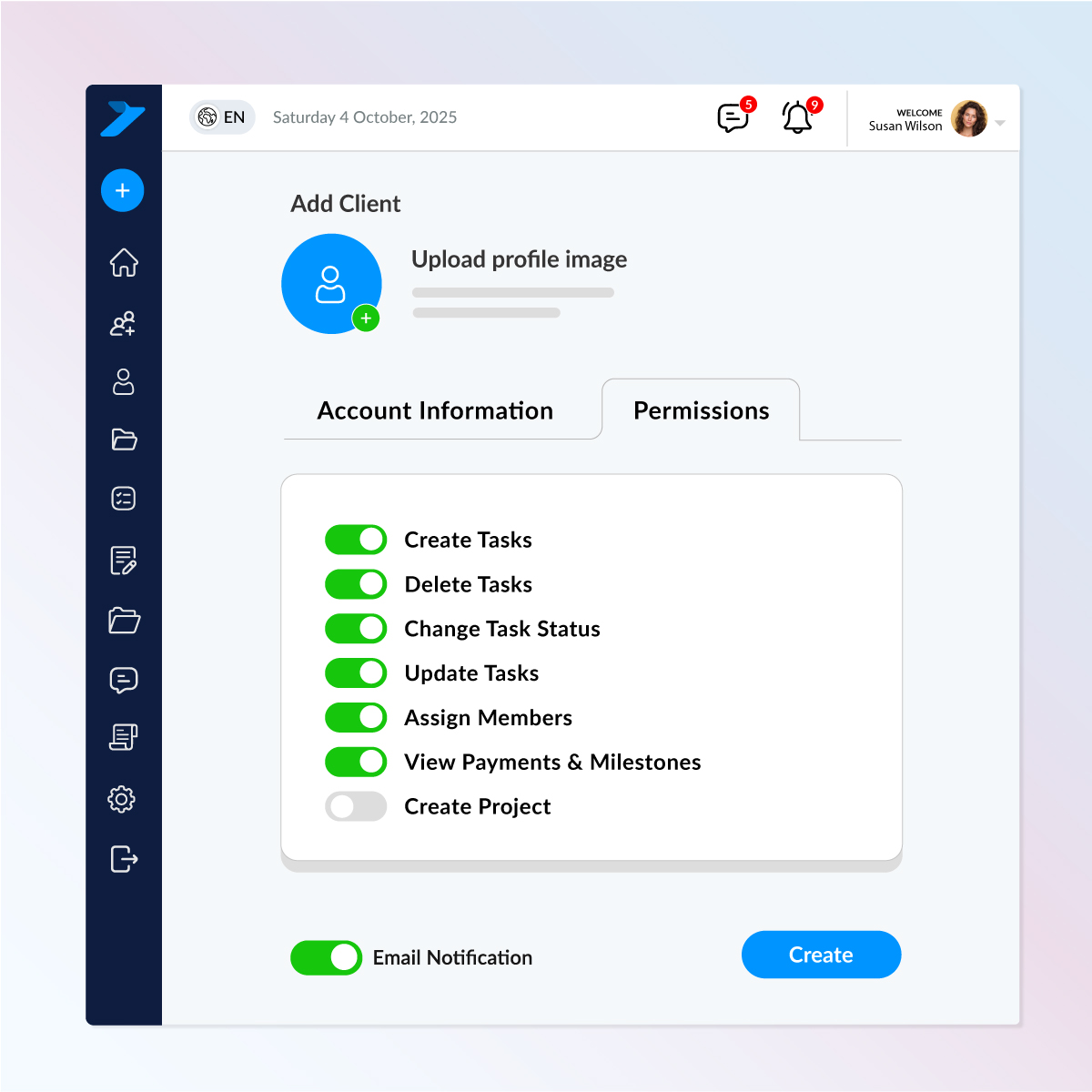
Give each client exactly the access they need nothing more, nothing less.
Whether a company has one user or three, you can assign different permissions to each person individually.
Key Highlights
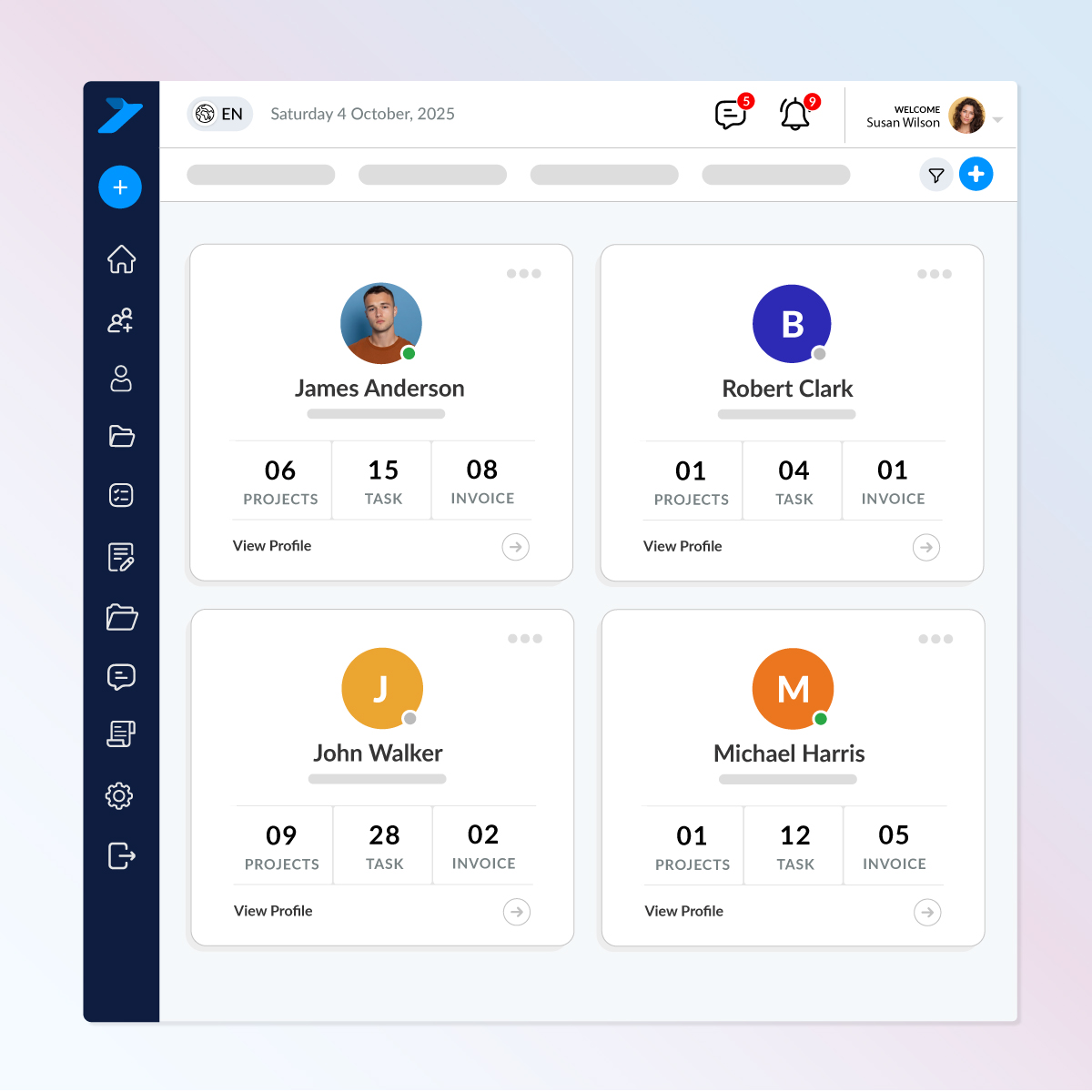
Get a clean, card-based overview of every client you work with no deep navigation, no extra clicks.
What you can see instantly
This section helps admins and staff quickly understand which client is handling what, making management faster, clearer, and more efficient.
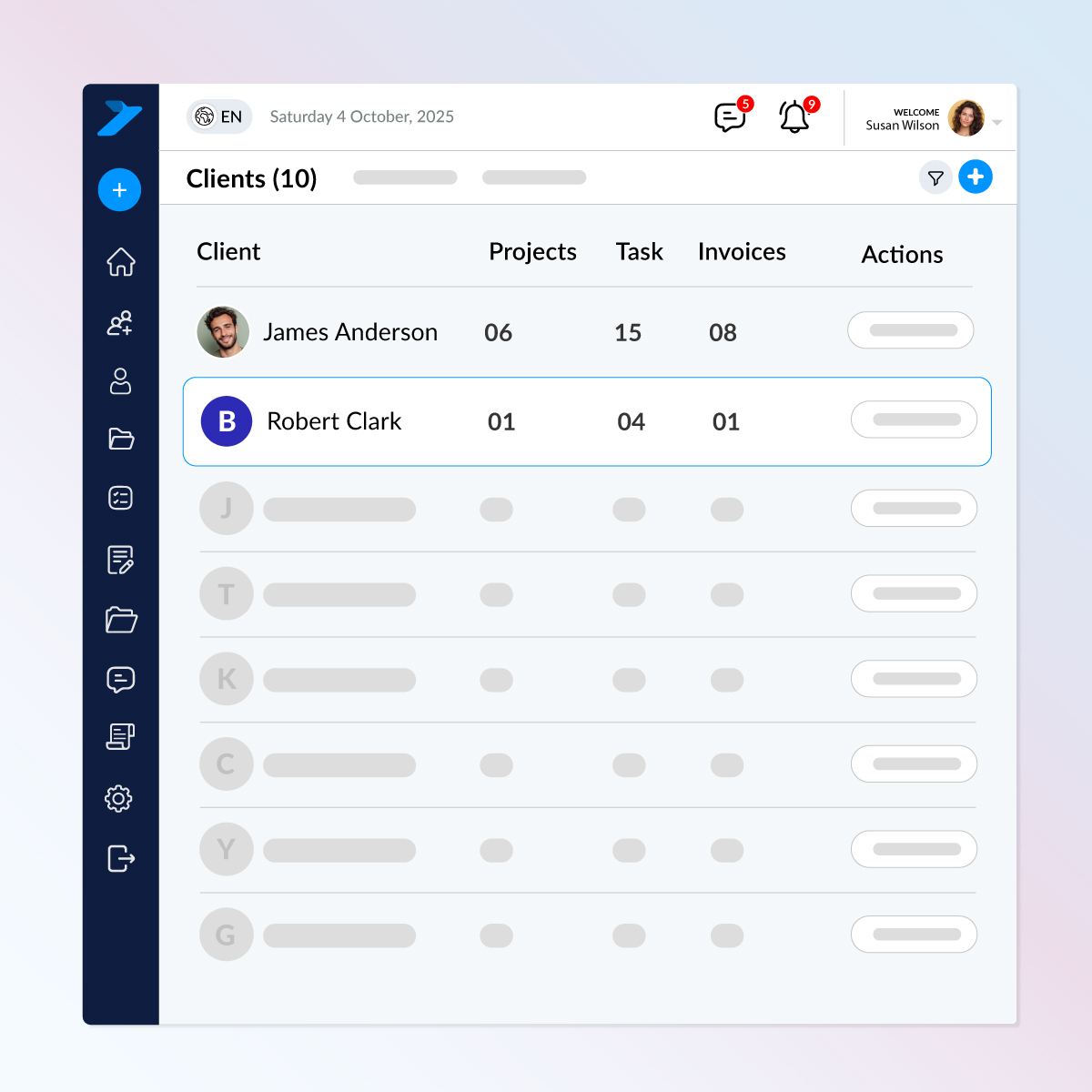
Manage your entire client base at a glance with a structured table layout designed for speed and clarity.
What this view helps you do
This table view keeps your client data simple, transparent, and easy to act on.
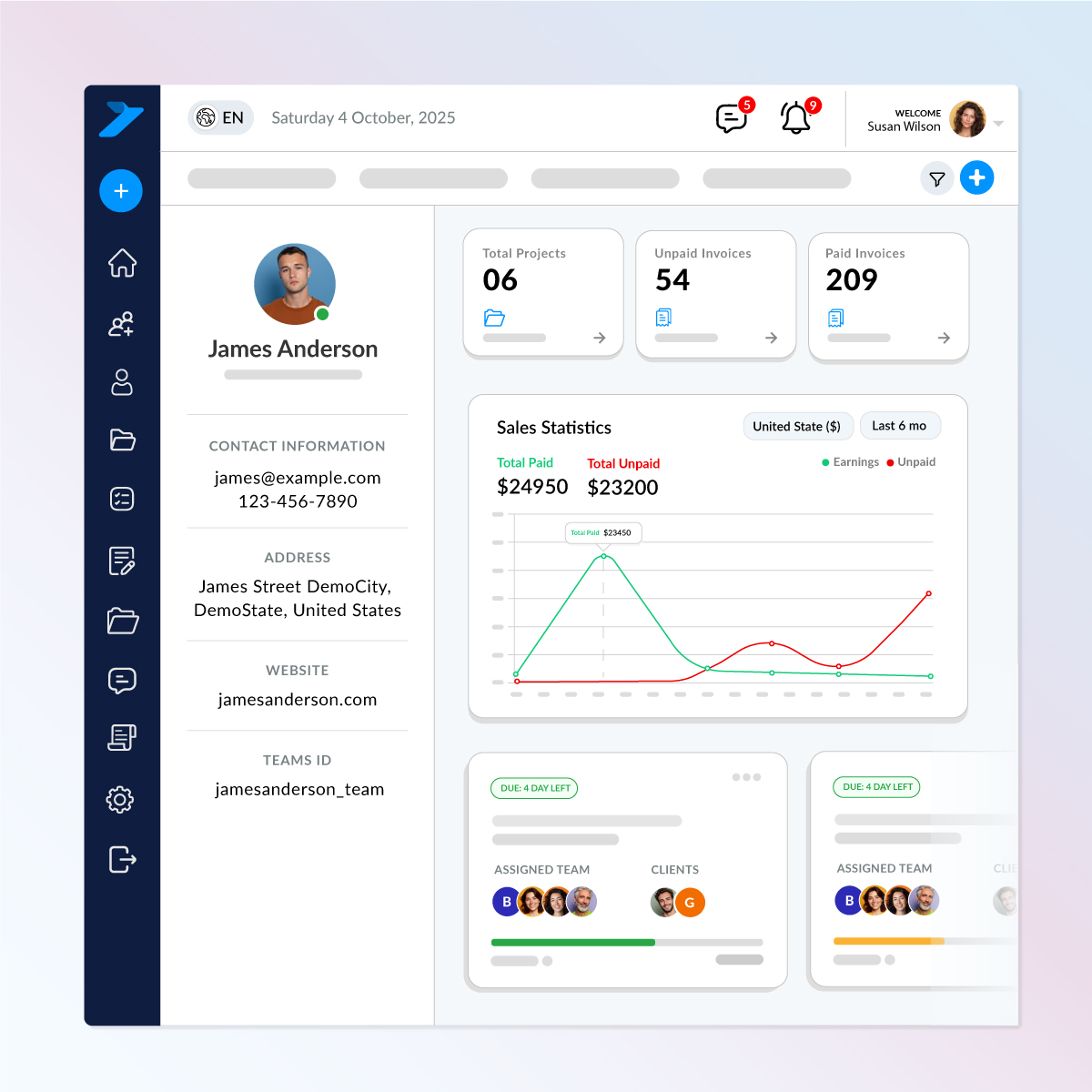
See everything you need to know about a client in one clean, organized dashboard.
What you get
This page lets you understand your client’s activity in seconno extra clicks, no jumping between sections.
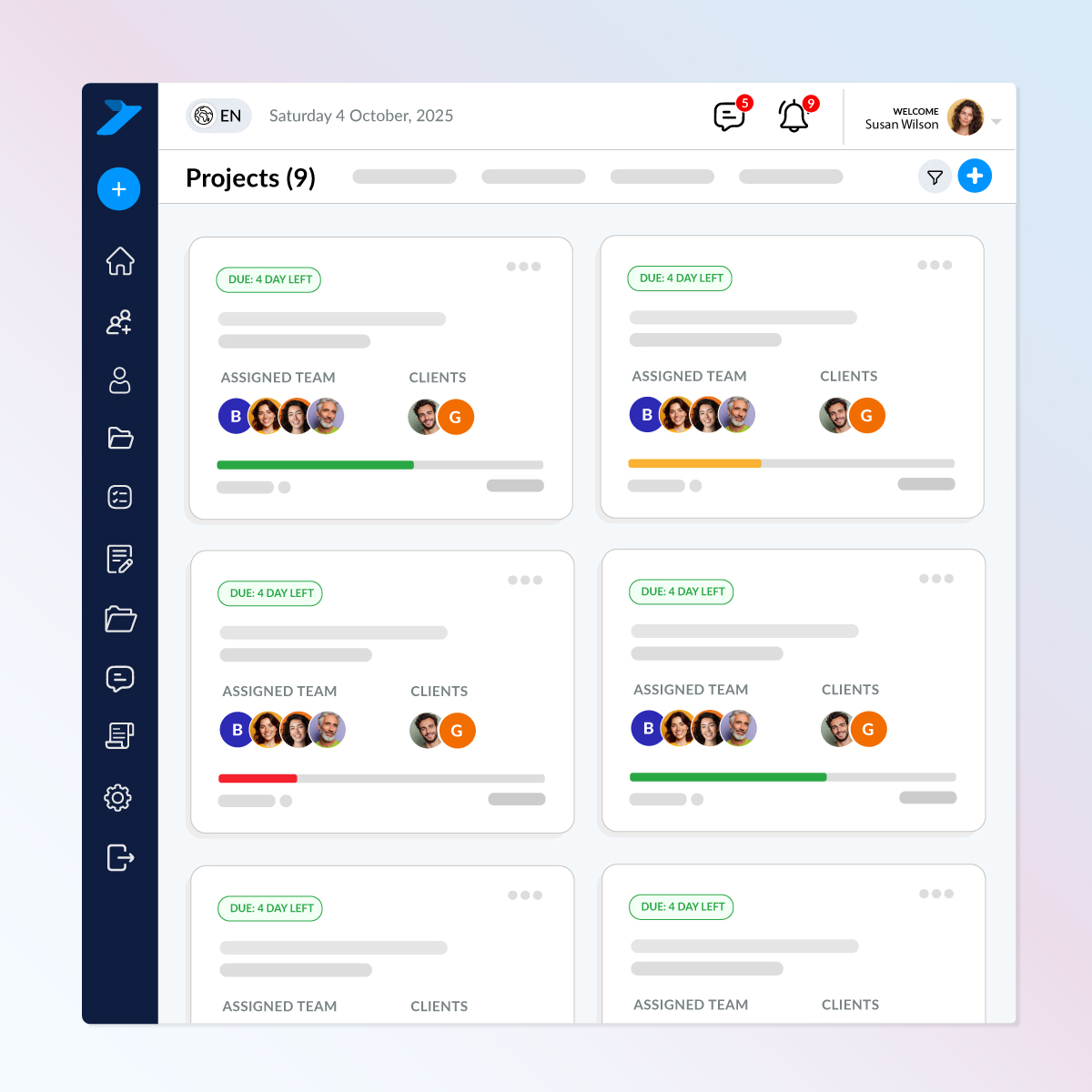
See exactly what your clients are working on all from one organized dashboard.
What this section helps you do
Stay fully updated on client activity so you can make faster decisions and keep every project on track.
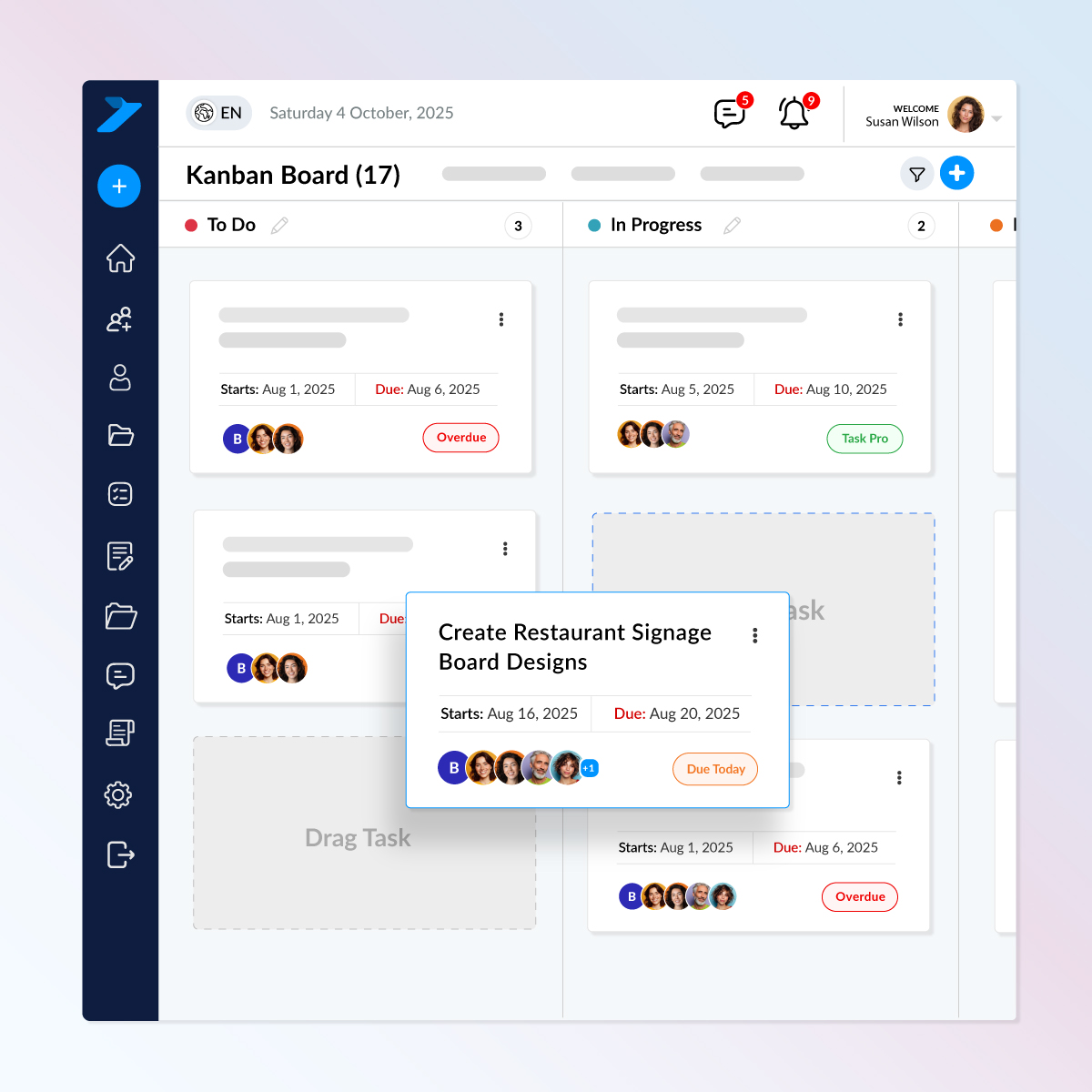
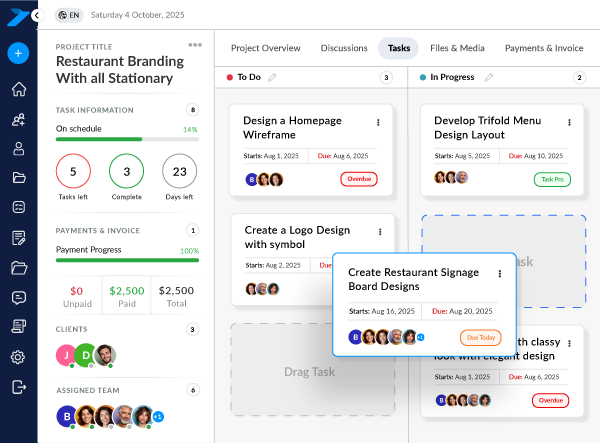
Track, update, and manage all client tasks without digging through multiple pages.
What you can do
Stay fully in control of client work with a clear, real-time task board built for speed and simplicity.
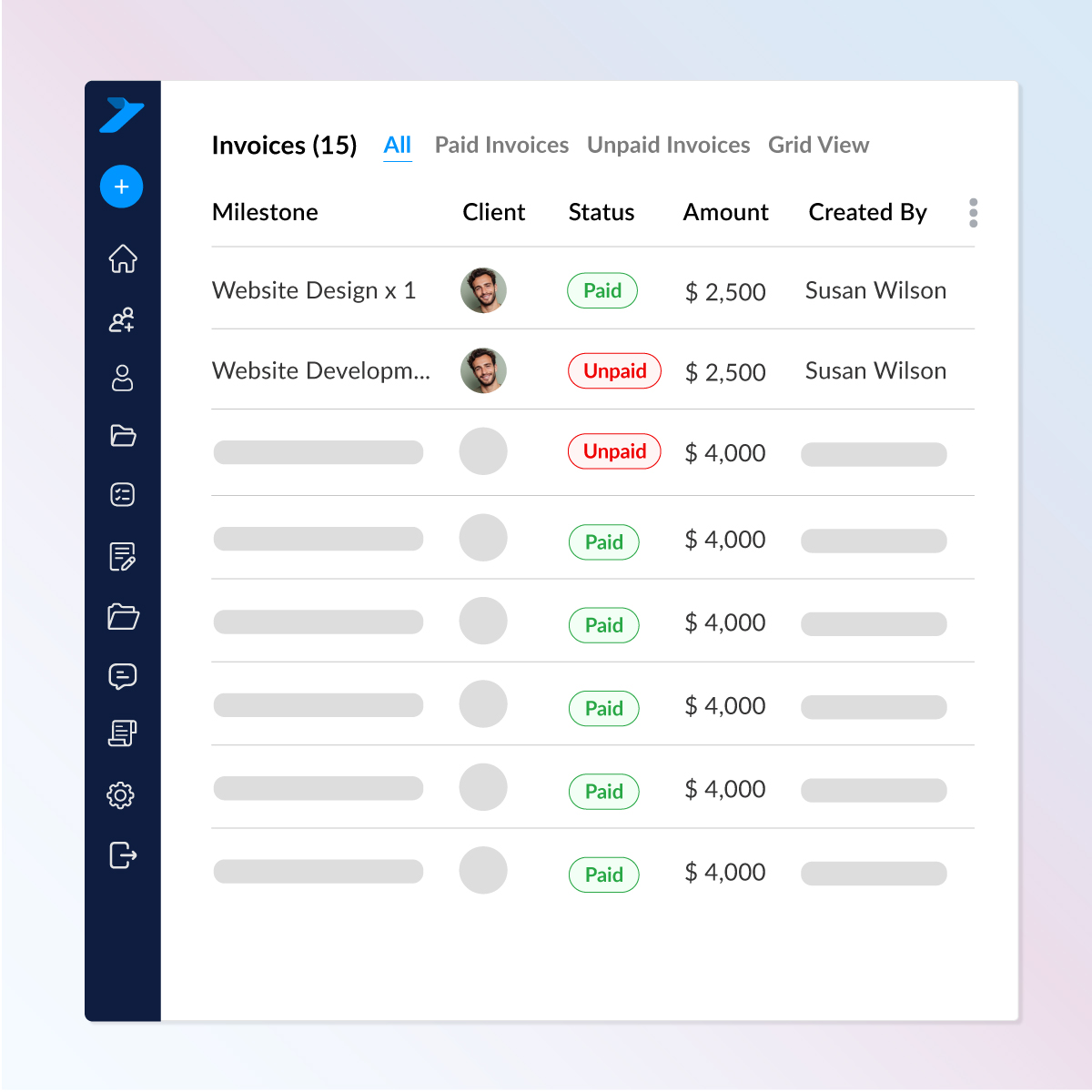
No more searching instantly see all invoices linked to any client.
What you can view
A simple, organized invoice hub that keeps your billing transparent and easy to manage.
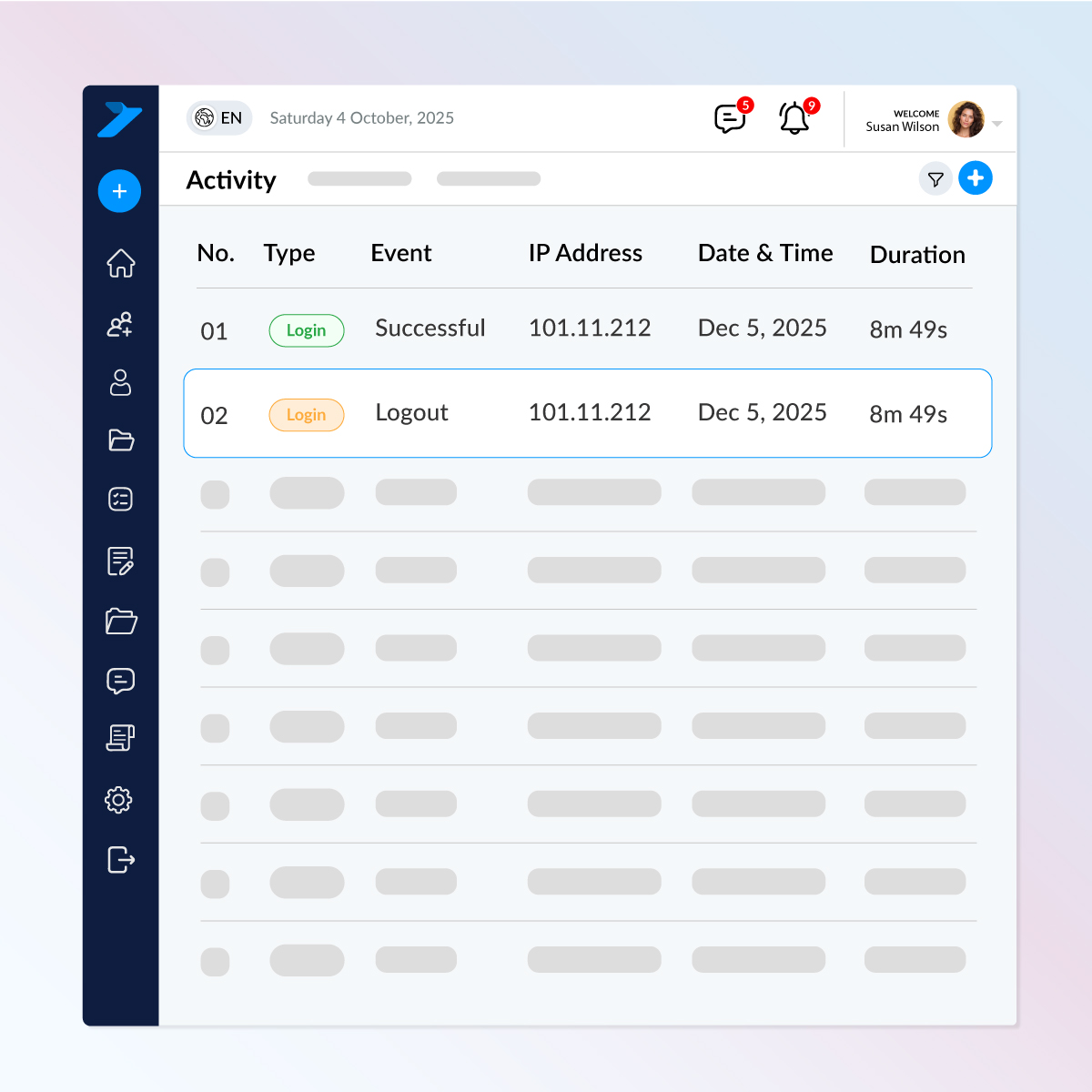
Stay fully informed about every client’s account activity in real time.
What you can track
Perfect for maintaining security, auditing access, and keeping your client workspace fully protected.
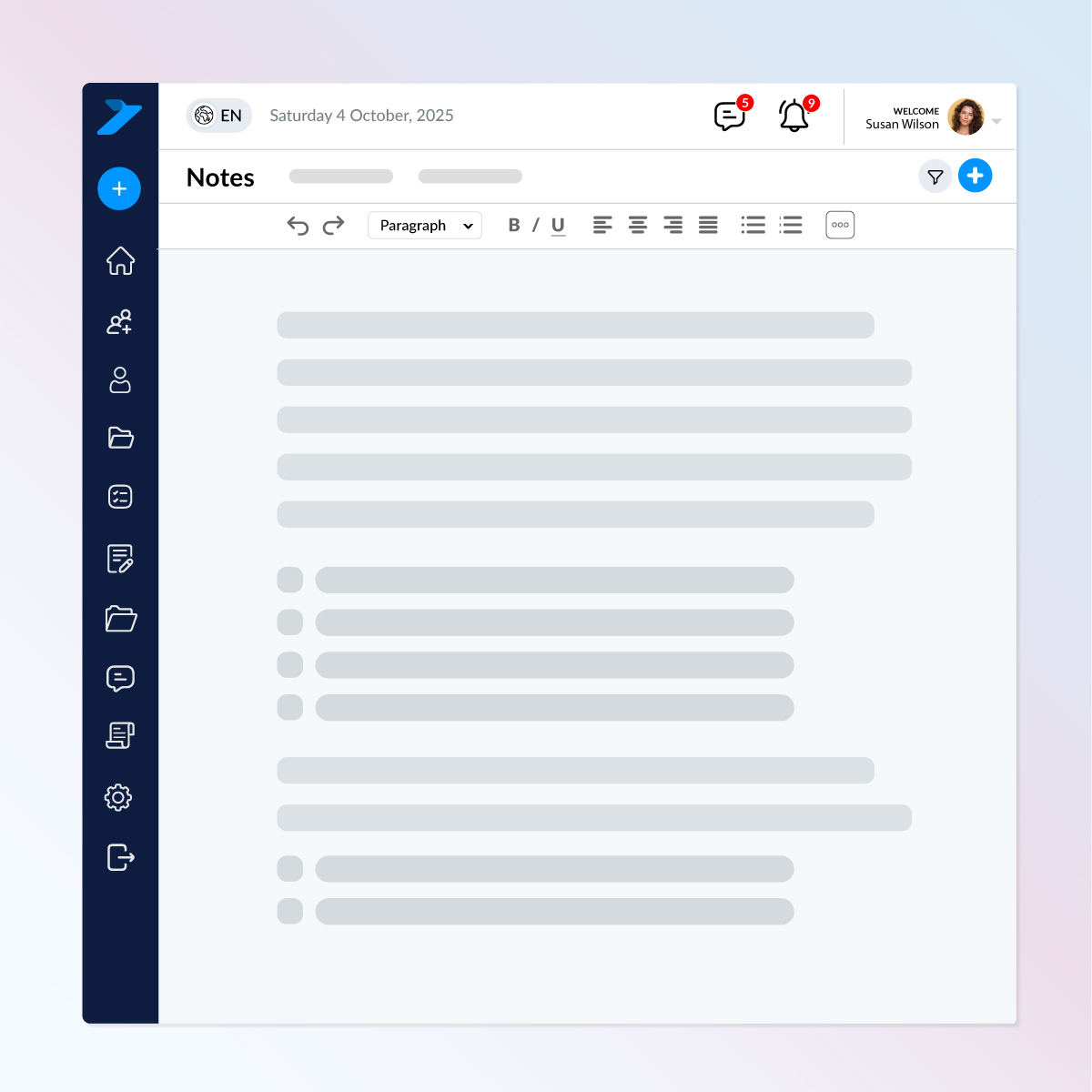
Keep important details right where you need them.
With built-in notes inside each client profile, you can:
Everything stays organized, private, and instantly accessible when you open the client’s profile.

Install TaskSession on your own hosting and keep 100% ownership of your data and system.
www.portal.yourdomain.com
Check out what these customers have to say about us.
Task Session has completely streamlined how we manage projects and clients. The Kanban board and reporting features keep my team on track, and the invoicing system saves us hours every week.

I’ve tried a few CRMs before, but none were as simple and effective as Task Session. The installation was smooth, and the white-label option is a big plus for my business branding.

Our team loves the flexibility of Task Session. From workload management to milestone tracking, everything is in one place. It has made collaboration much easier and stress-free.

The best thing about Task Session is its self-hosted nature. I have full control over my data and can customize branding to match my business. Highly recommended for professionals.

As a growing startup, Task Session helped us stay organized without the heavy costs of bigger CRMs. The system is lightweight, fast, and perfect for managing multiple clients.

We switched to Task Session recently, and it has already boosted our productivity. The dashboard is clean, the reports are insightful and support has been excellent so far.

Task Session finally brought order to our workflow. Our team moves faster, clients stay updated automatically and managing tasks and files has never been this effortless.
Task Session has completely improved how we manage our cases and client communication. Everything is organized, and our team always knows what needs attention next.
The ability to track cases, assign attorneys, and manage billing without confusion has made our firm more efficient and professional.
From hearing schedules to case notes, everything stays structured. It has helped our team stay focused and avoid missed deadlines.
Task Session has brought clarity to our case handling and improved how we communicate with clients. Everything feels structured and easy to manage.
Managing multiple cases used to be overwhelming, but now everything is organized in one place. It has made our daily workflow much smoother.
All your projects, payments, and updates… beautifully organized.















Client Management allows you to store client details, onboard them quickly, assign permissions, view their tasks and invoices, and manage all interactions in one organized dashboard.
Yes! You can add clients using a simple onboarding form. They instantly receive login details via email and can immediately access the portal.
Absolutely. TaskSession lets you assign detailed permissions—from task creation to invoice visibility. Even if multiple members come from the same company, each one can have unique access rights.
You can track login history, IP addresses, session duration, project actions, and more—giving you full transparency into client engagement.
Yes! TaskSession shows all invoices linked to each client, including status (Paid/Unpaid), due dates, amounts, and who created the invoice—making financial tracking easy.
Yes. The integrated chat system supports:
All communication is encrypted and secure.
Yes. You can track:
Everything updates in real time.
Self-hosted means you install TaskSession on your own server, giving you:
Your system runs independently — just like your own private SaaS platform.
Yes! We offer a one-time lifetime license, allowing you to use TaskSession forever without recurring fees.
This includes:
A perfect option for long-term savings.
TaskSession is built with enterprise-level security, including:
Your data stays private, protected, and fully under your control.
Yes. All users including lifetime license holders — receive:
We actively develop and expand the platform based on real user feedback.