



Task Session has completely streamlined how we manage projects and clients. The Kanban board and reporting features keep my team on track, and the invoicing system saves us hours every week.

Marketing Agency Owner

05/01/2026
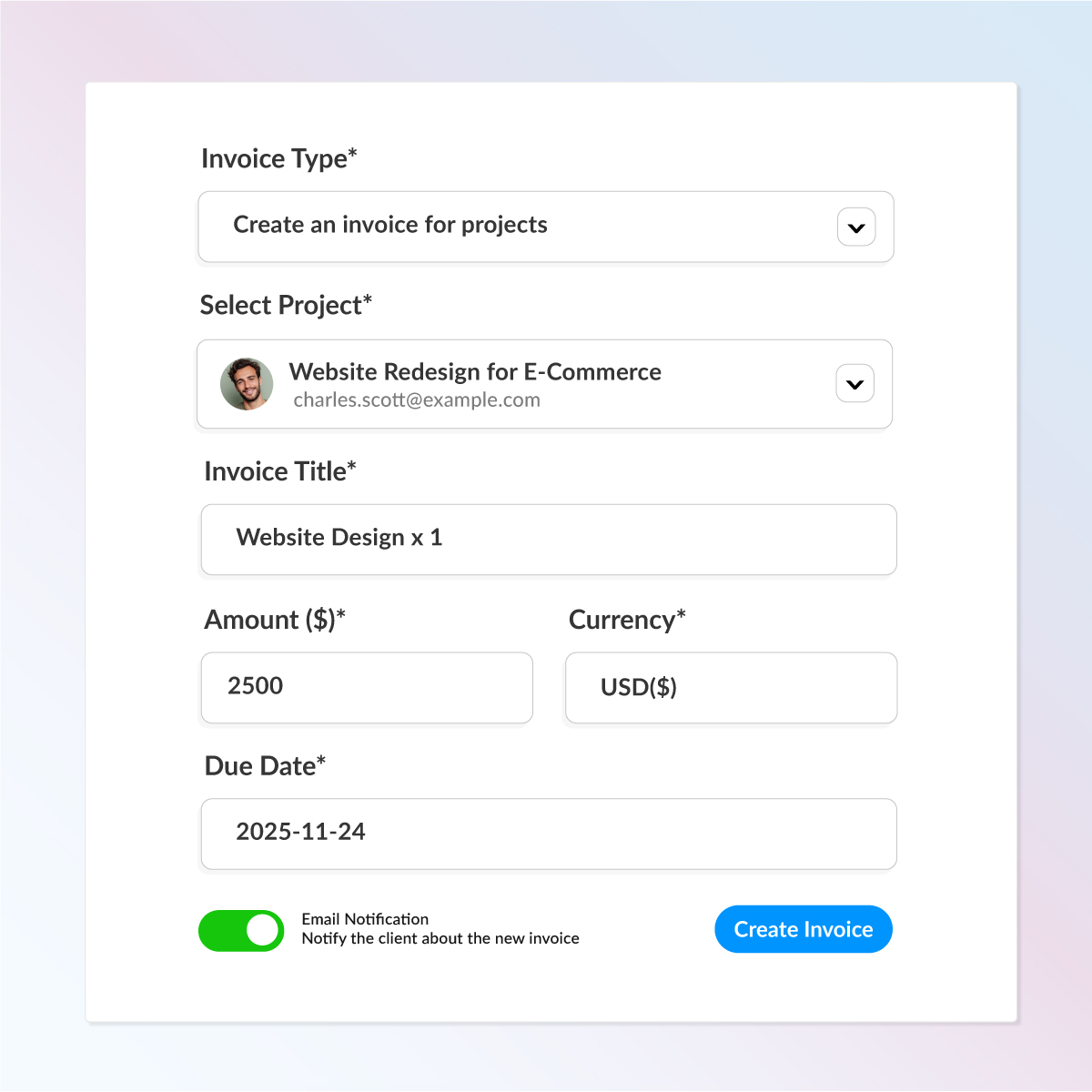
Step 1
Create clean, professional invoices with just a few clicks.
Select your client, choose the project, add line items, taxes, payment terms — and you’re done.
Each invoice includes:
Client & Project details
Line items & Tax rates
Due dates & Notes
Instant preview before sending
Step 2
Share invoices in seconds with automatic email alerts and in-app notifications. Choose any currency you want and bill clients globally without limits. Once sent, the invoice appears instantly inside their client portal.
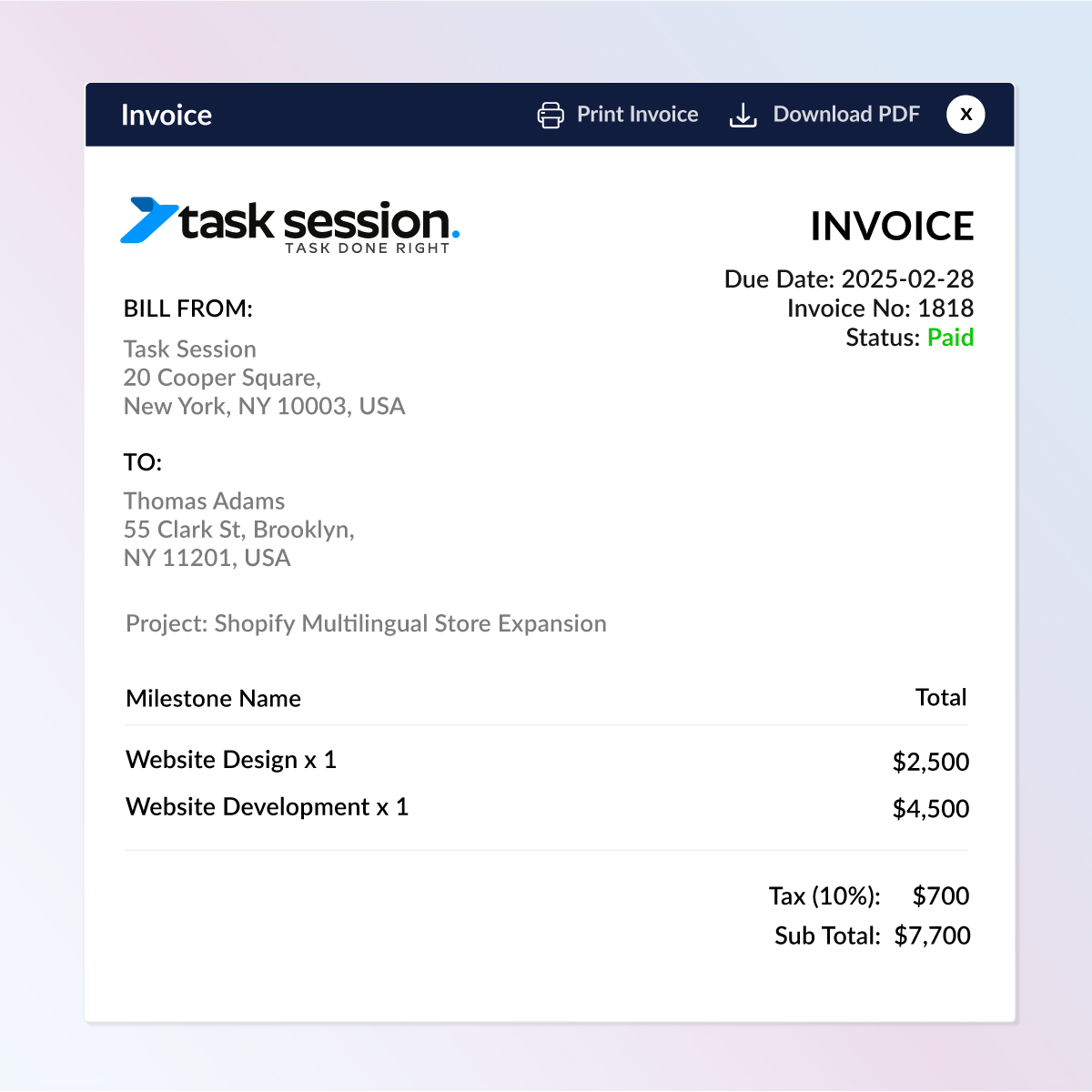
Step 3
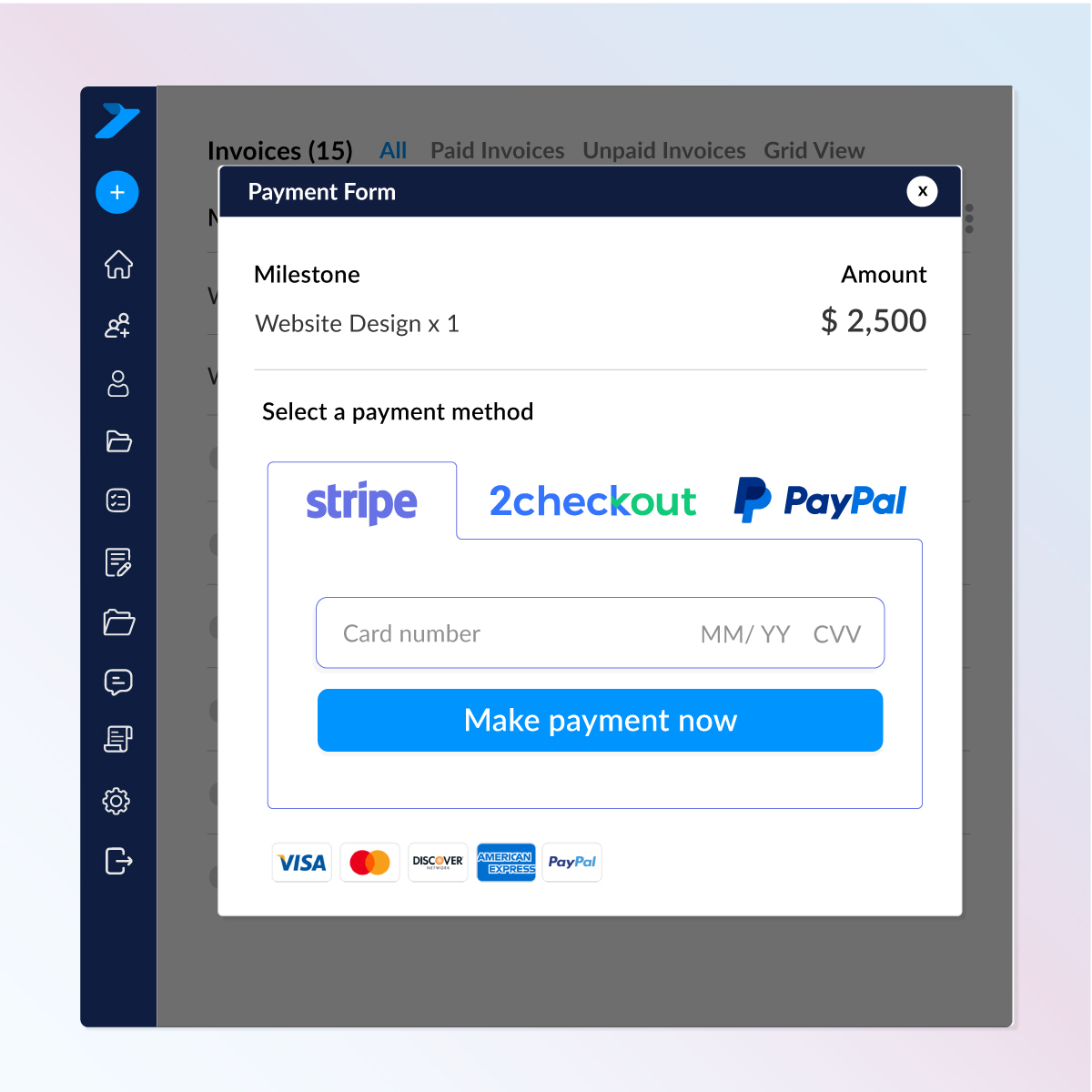
As soon as the client clicks “Make Payment”, a clean payment form opens instantly.
Clients can pay using:
Everything is processed securely and updates automatically in your dashboad
Task Session gives you complete visibility into your invoicing:
Key Features:
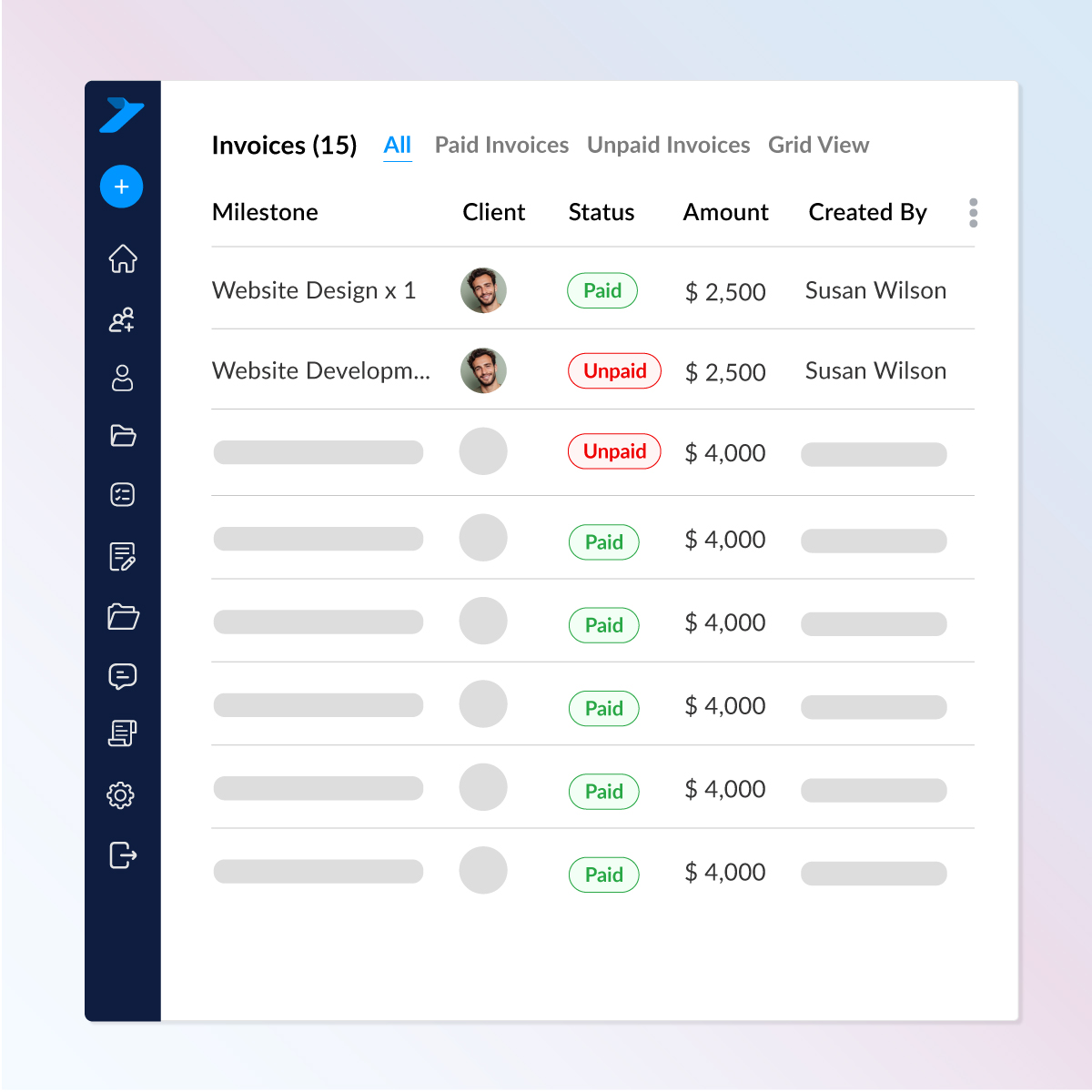
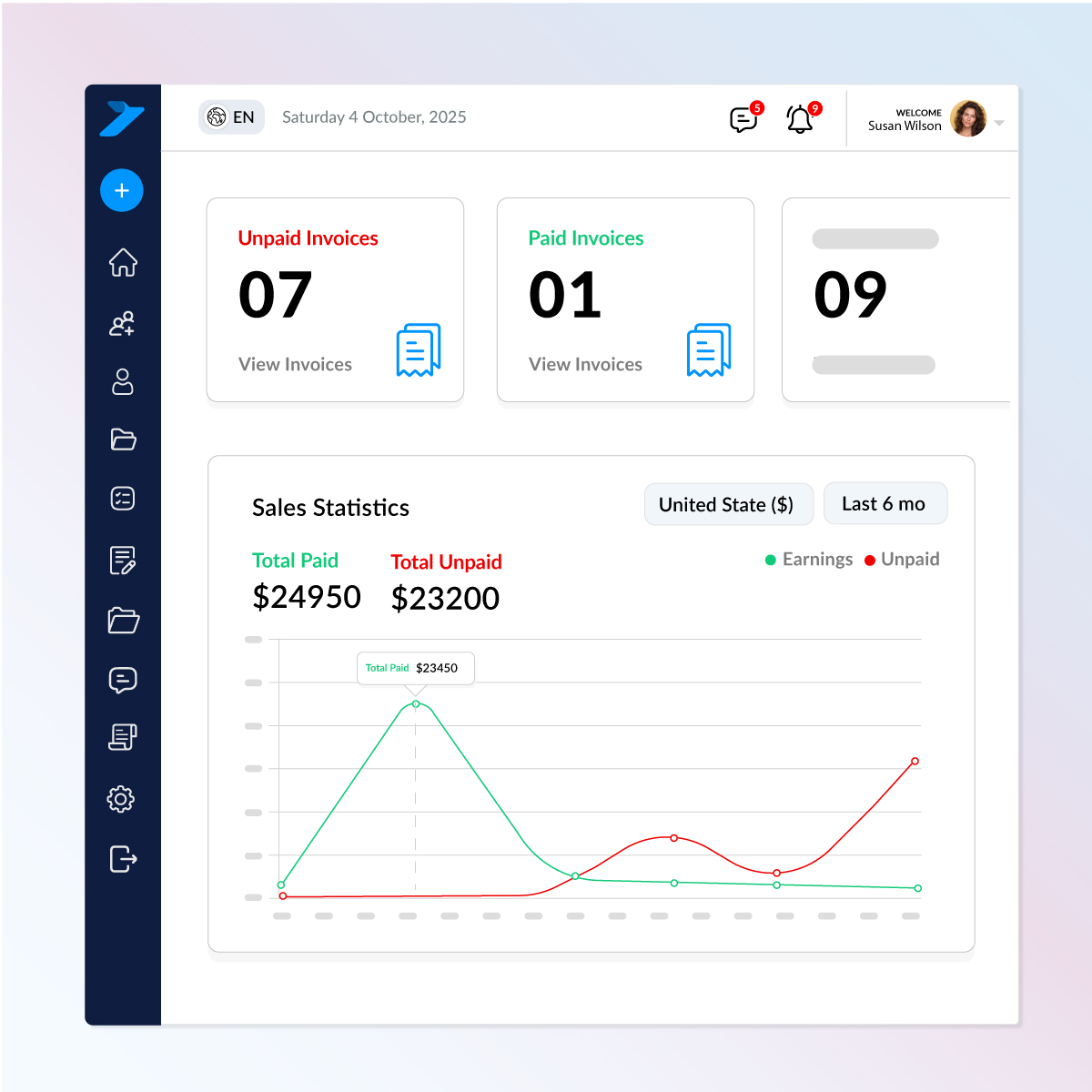
Invoice Analytics
Monitor your business cash flow with built-in analytics:
Stay on top of your finances without spreadsheets or manual tracking.

Install TaskSession on your own hosting and keep 100% ownership of your data and system.
www.portal.yourdomain.com
Check out what these customers have to say about us.
Task Session has completely streamlined how we manage projects and clients. The Kanban board and reporting features keep my team on track, and the invoicing system saves us hours every week.

I’ve tried a few CRMs before, but none were as simple and effective as Task Session. The installation was smooth, and the white-label option is a big plus for my business branding.

Our team loves the flexibility of Task Session. From workload management to milestone tracking, everything is in one place. It has made collaboration much easier and stress-free.

The best thing about Task Session is its self-hosted nature. I have full control over my data and can customize branding to match my business. Highly recommended for professionals.

As a growing startup, Task Session helped us stay organized without the heavy costs of bigger CRMs. The system is lightweight, fast, and perfect for managing multiple clients.

We switched to Task Session recently, and it has already boosted our productivity. The dashboard is clean, the reports are insightful and support has been excellent so far.

Task Session finally brought order to our workflow. Our team moves faster, clients stay updated automatically and managing tasks and files has never been this effortless.
Task Session has completely improved how we manage our cases and client communication. Everything is organized, and our team always knows what needs attention next.
The ability to track cases, assign attorneys, and manage billing without confusion has made our firm more efficient and professional.
From hearing schedules to case notes, everything stays structured. It has helped our team stay focused and avoid missed deadlines.
Task Session has brought clarity to our case handling and improved how we communicate with clients. Everything feels structured and easy to manage.
Managing multiple cases used to be overwhelming, but now everything is organized in one place. It has made our daily workflow much smoother.
Give your clients smarter tools, smoother interactions, and crystal-clear communication—all inside Task Session.












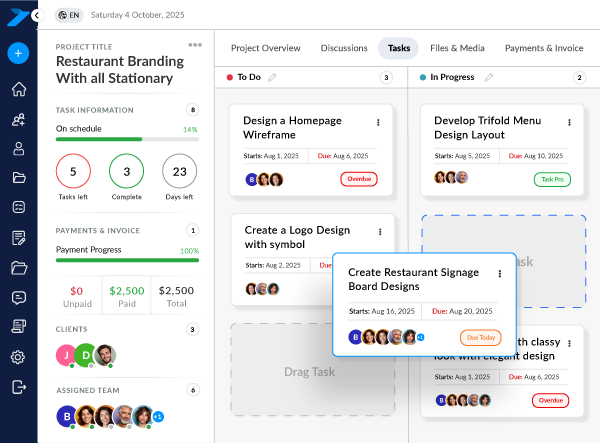
Yes. You can create invoices inside any project and link them directly to tasks, milestones, or services—keeping everything organized in one place.
Absolutely. Clients receive instant email notifications when an invoice is generated, and the invoice also appears immediately in their client portal.
Yes. You can generate invoices in multiple currencies. The system is not limited to a single currency, making it perfect for global clients.
Clients can pay invoices instantly using Stripe, PayPal, or 2Checkout through a secure payment form.
Yes. You can track invoice status (Paid, Unpaid, Overdue), due dates, amounts, and payment history with clear visual indicators and analytics.
Yes. You can set detailed permissions to decide which team members can view, create, edit, or manage invoices even within the same project.
Yes. Automatic reminders can be enabled to notify clients when invoices are due or overdue, helping you get paid on time.
Yes. Invoices are auto-generated as PDFs and can be downloaded, printed, or emailed to clients anytime.
Absolutely. Installation takes only 3 simple steps, and we also provide free installation if you need help. It works on shared hosting, VPS, or any standard PHP/MySQL environment.
Yes. You can replace all logos, change theme colors, customize headers/sidebar, modify email templates, and remove Task Session branding entirely — making it fully white-label.
Self-hosted means you install TaskSession on your own server, giving you:
Your system runs independently — just like your own private SaaS platform.
TaskSession is built with enterprise-level security, including:
Your data stays private, protected, and fully under your control.
Yes. All users including lifetime license holders — receive:
We actively develop and expand the platform based on real user feedback.
The entire system is just 5 MB, built with line-by-line optimized code. It runs incredibly fast—even on shared hosting—without needing heavy servers or expensive infrastructure.