
Task Session finally brought order to our workflow. Our team moves faster, clients stay updated automatically and managing tasks and files has never been this effortless.

Creative Director, PixelForge Studio
Task Session finally brought order to our workflow. Our team moves faster, clients stay updated automatically and managing tasks and files has never been this effortless.
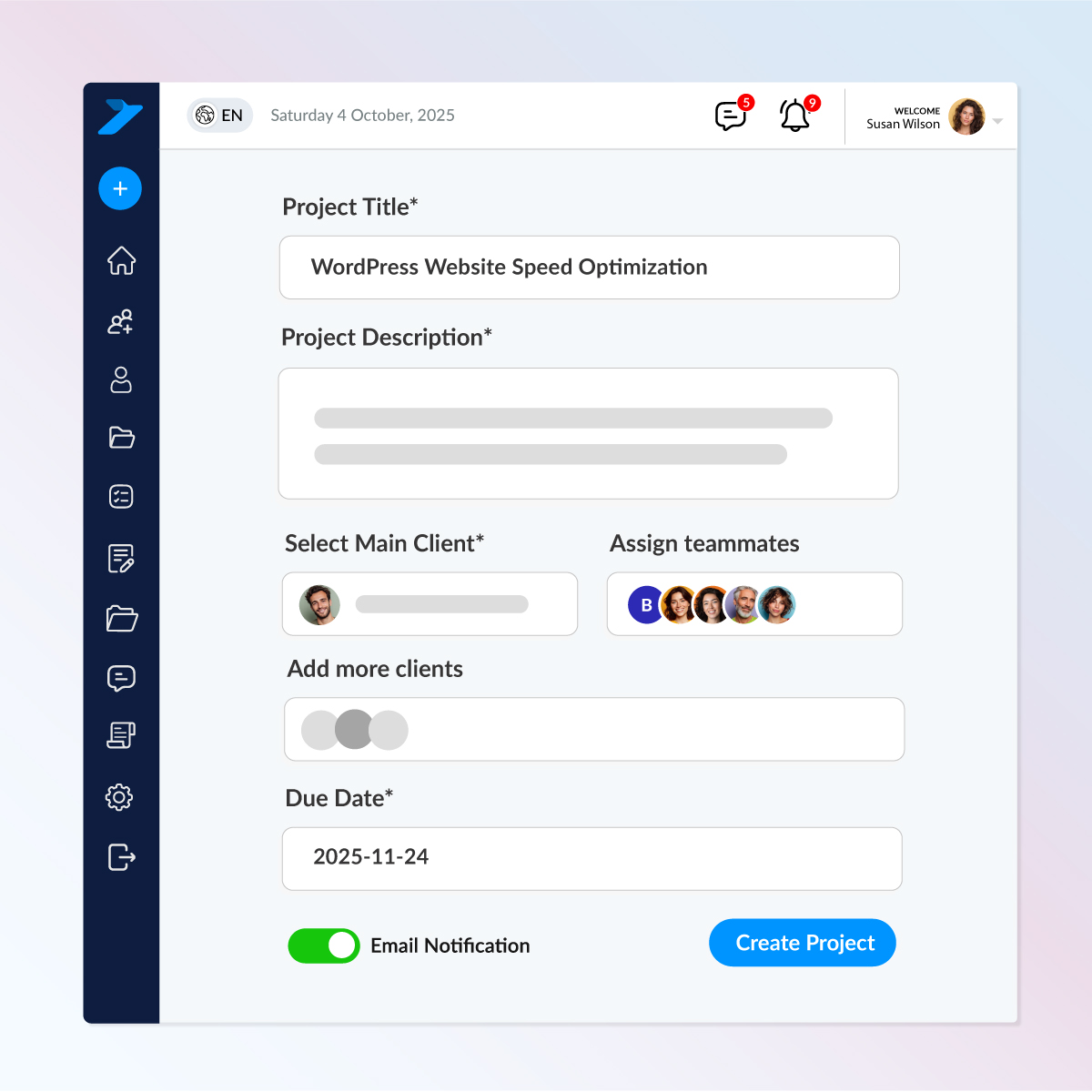
Set up a new project fast — add a title, rich description, deadline, clients, and team members in seconds. Everyone gets an instant email notification as soon as the project is created.
Key Features:
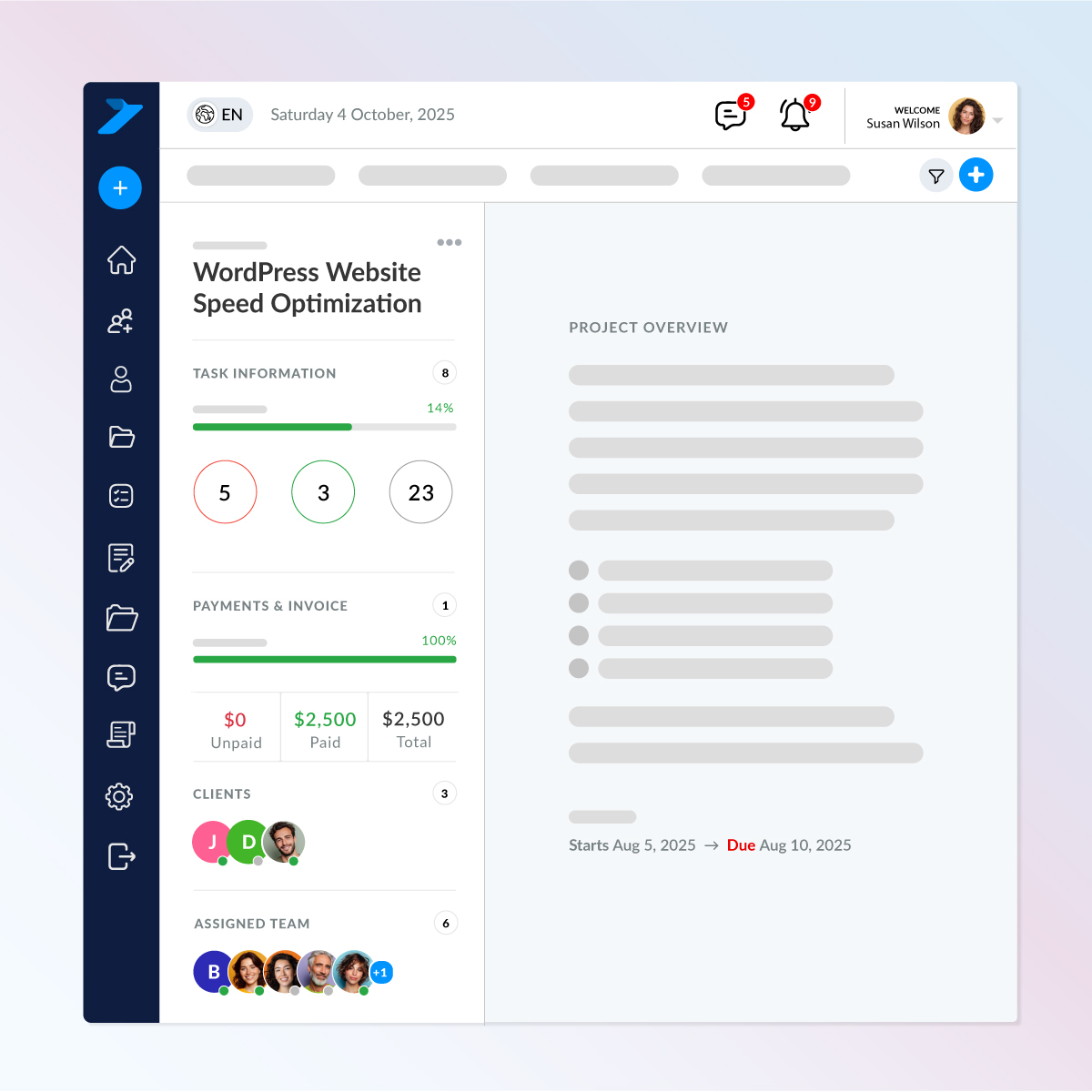
See everything that matters at a glance. Your project summary shows completed tasks, overdue items, deadlines, and overall progress — all in one clean view.
Key Features
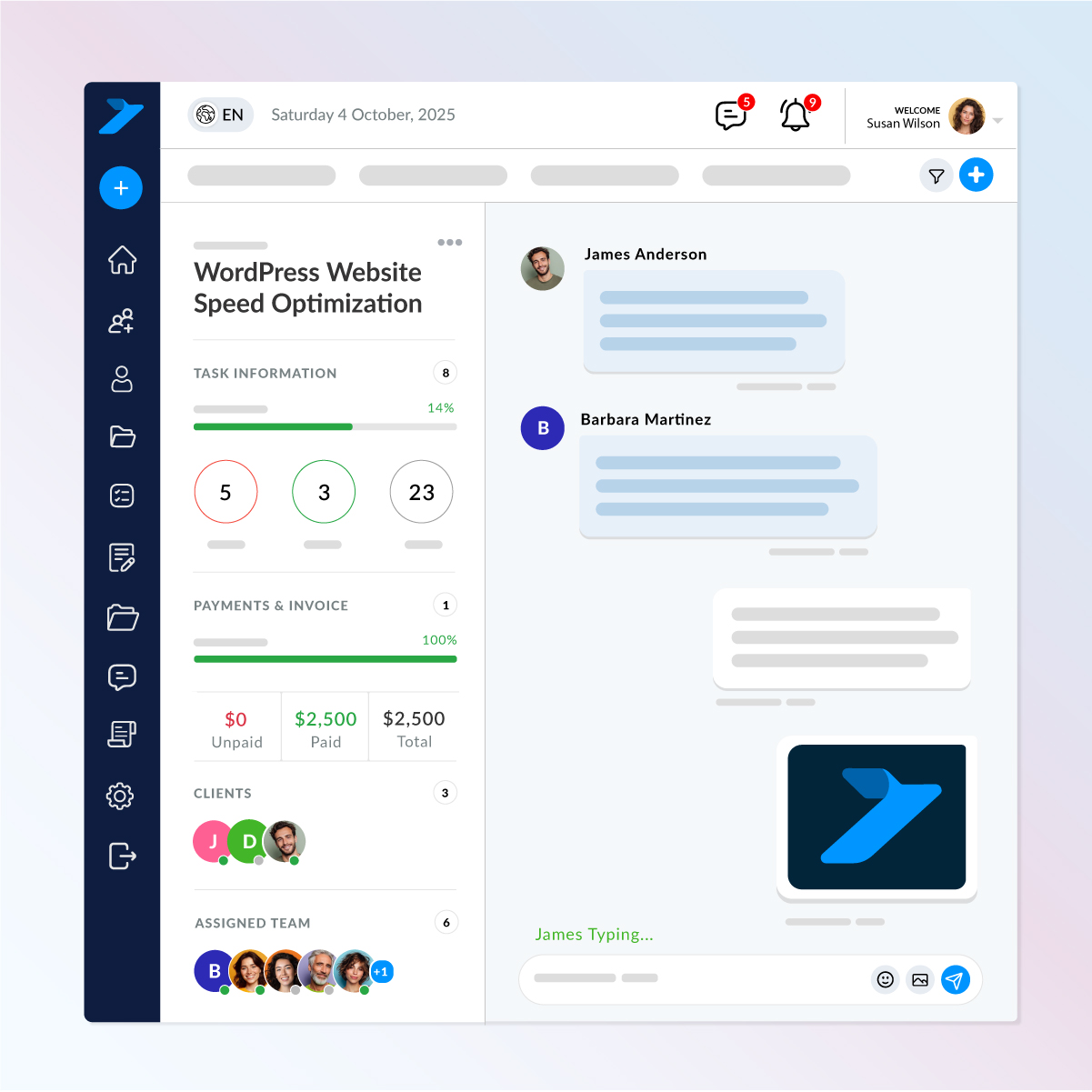
Keep every discussion organized inside one project-specific chat area. No scattered messages — your entire team and clients stay aligned in real time.
Key Features
Get a quick visual snapshot of all your active projects in one clean, organized grid. Each card highlights the most important details so you always know what needs attention.
Key Features
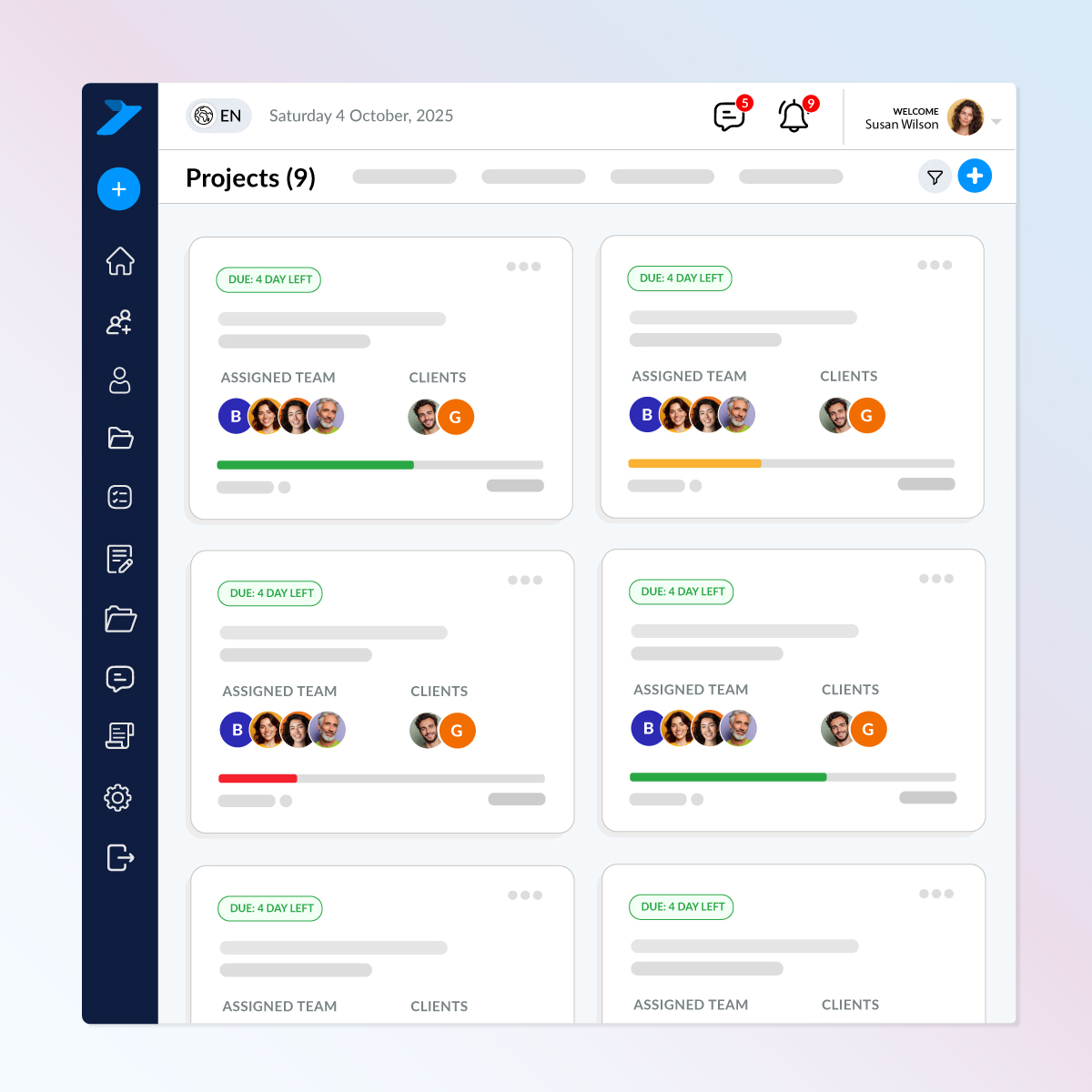
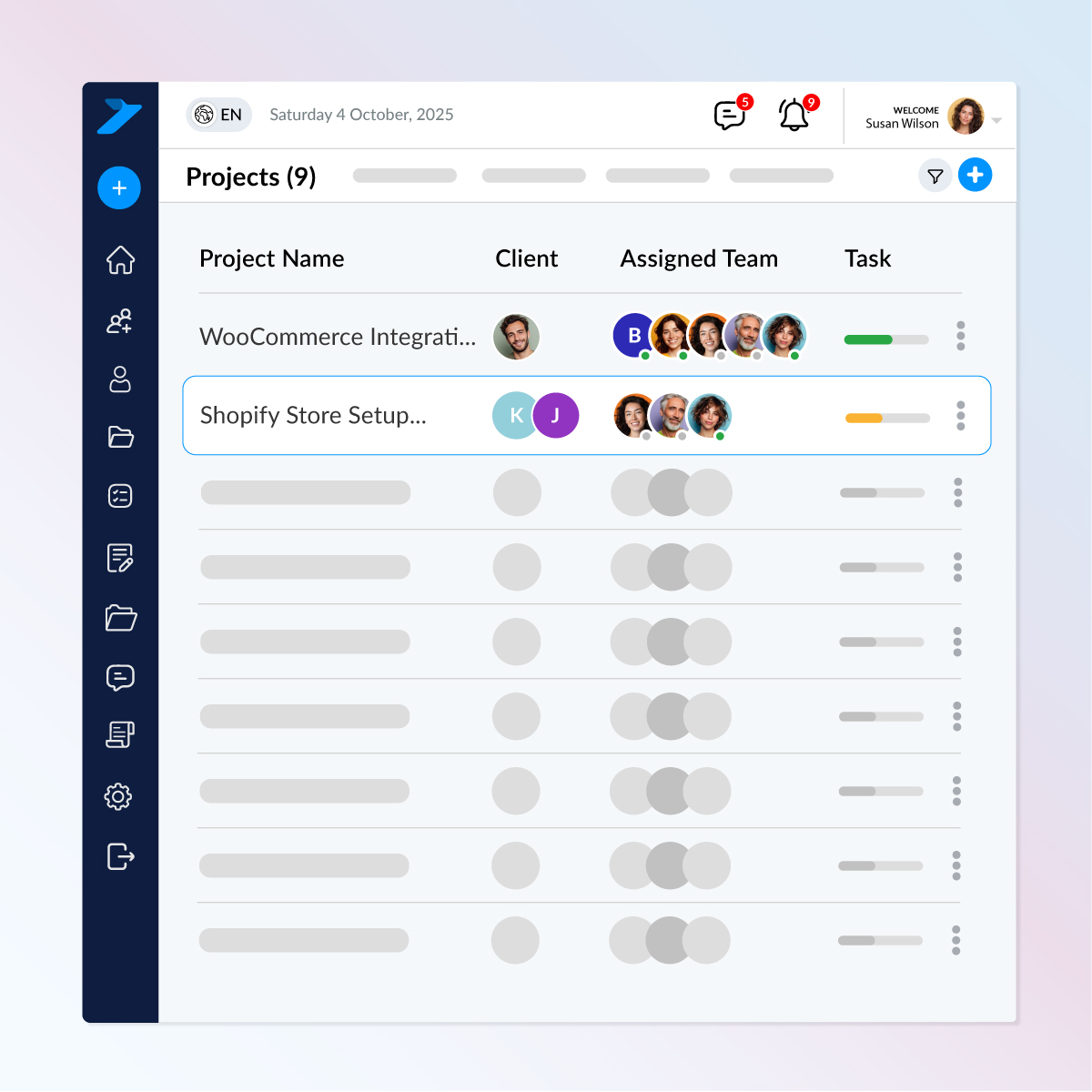
See all your projects in a clean, professional table layout. Instantly track clients, assigned team members, progress, and status — all in one glance.
Key Features
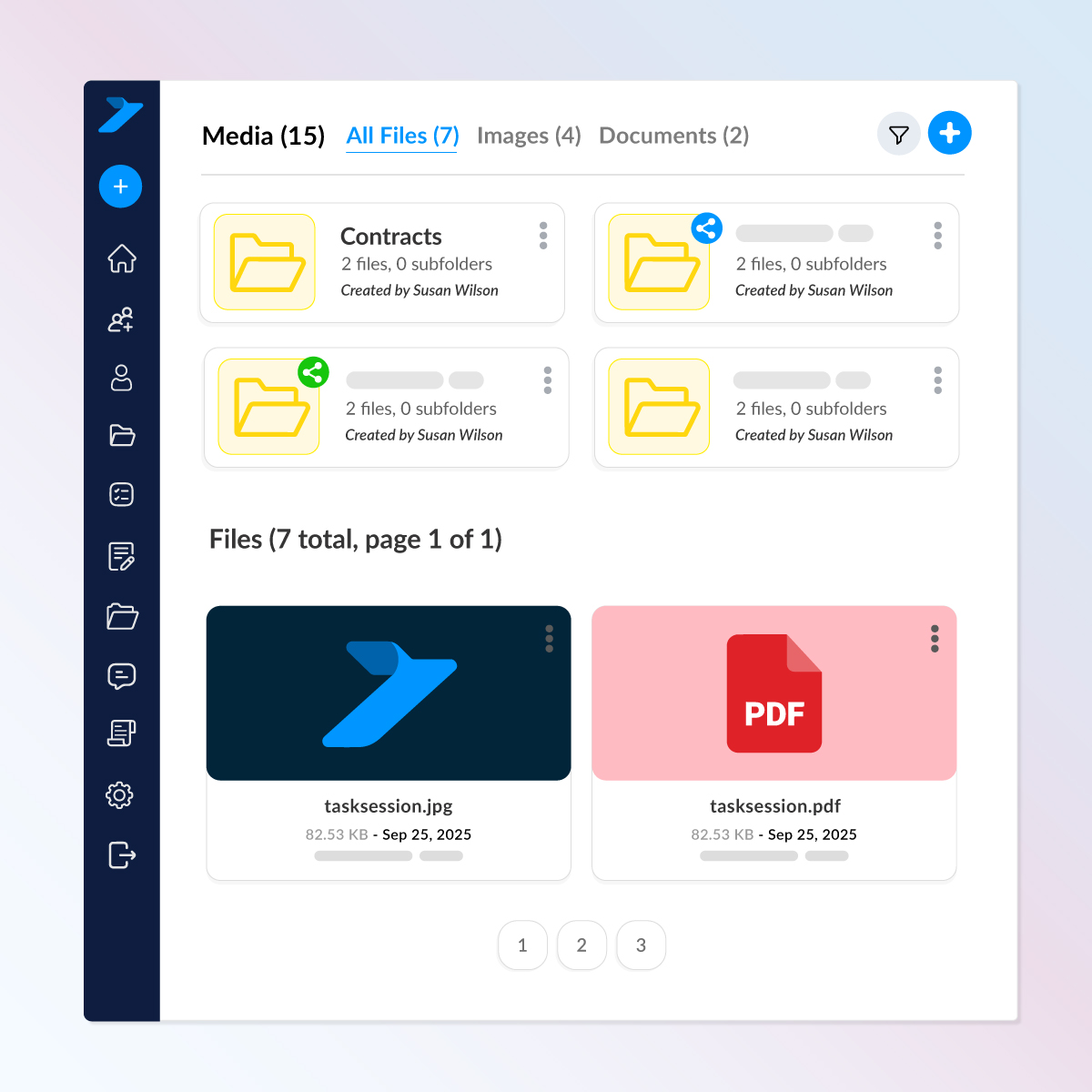
Each project comes with its own secure file workspace where your team can upload, organize, and manage all assets without limits.
Key Features
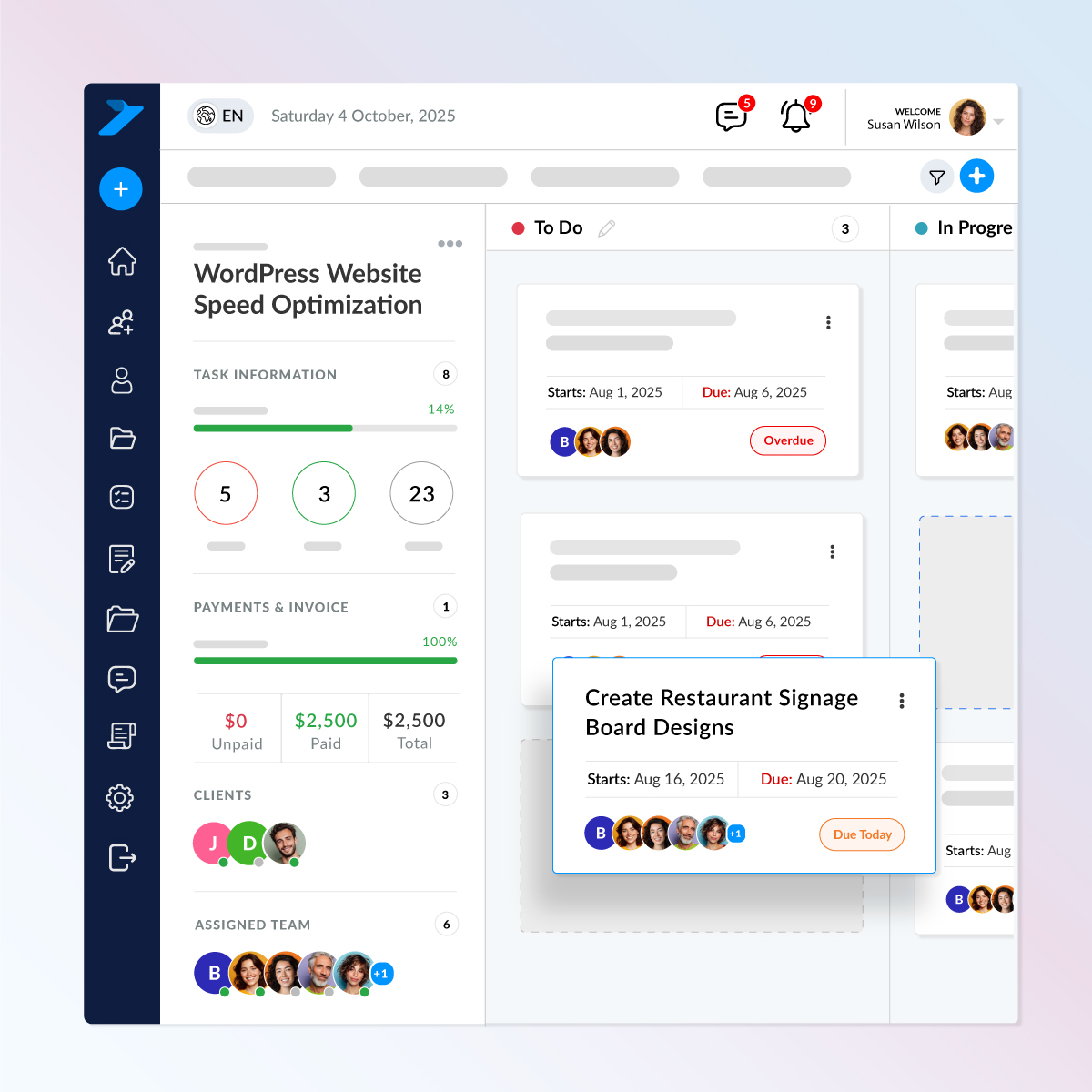
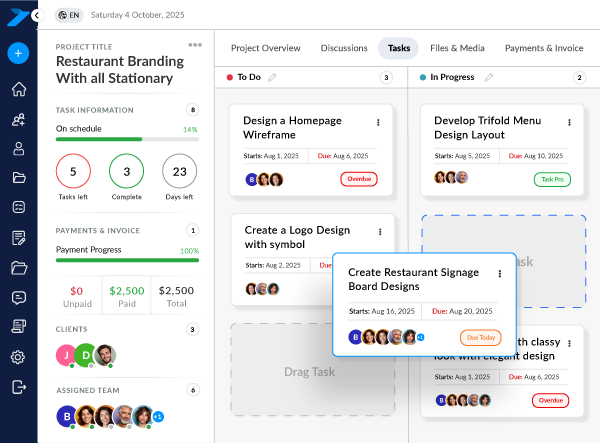
Skip the extra steps. Add new tasks instantly from within your project, and the system will automatically assign the team members and clients you selected during project setup.
Key Features
A focused workspace where you can review task info, chat instantly, manage subtasks, and keep everything moving — all in one screen.
What You can Do Inside a Task
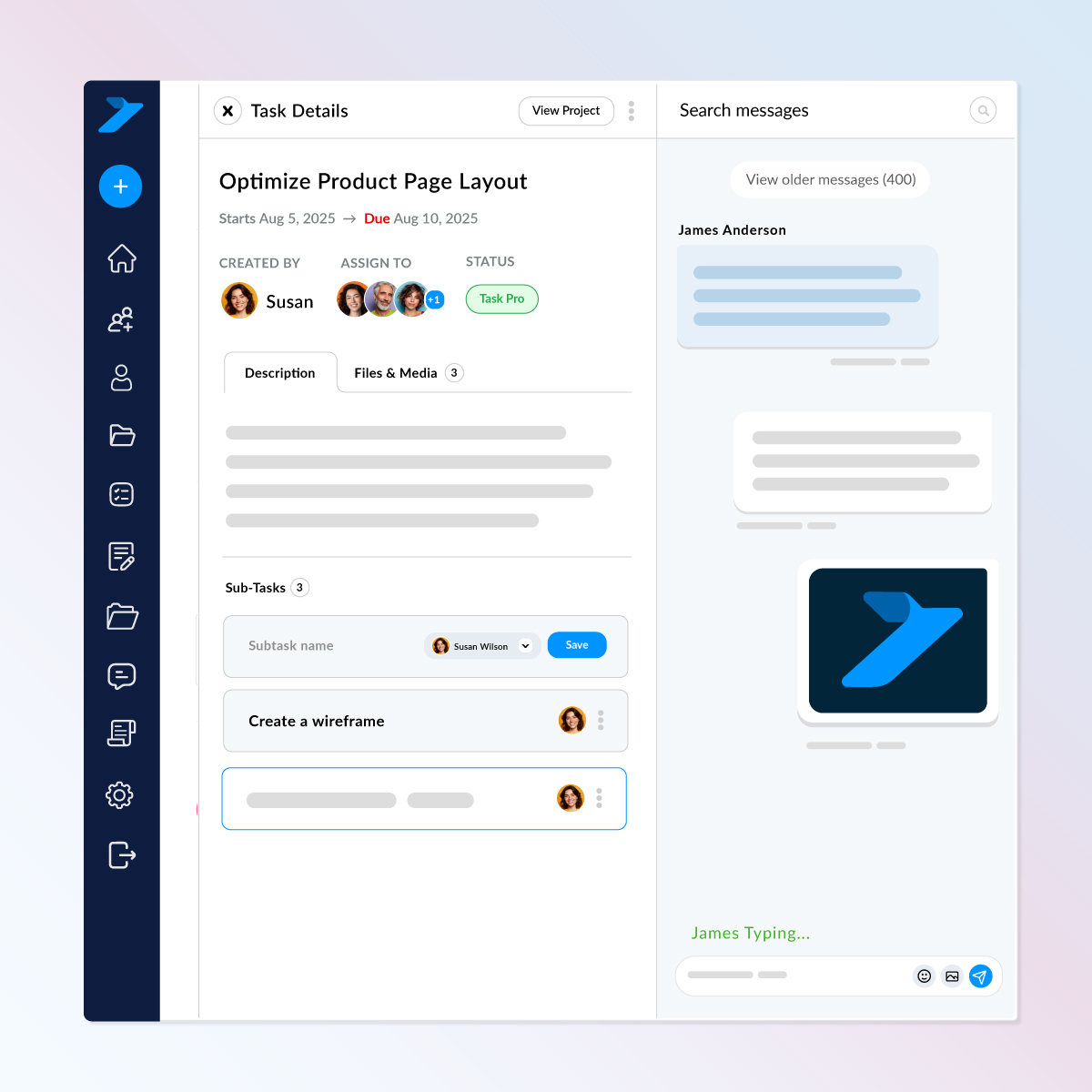
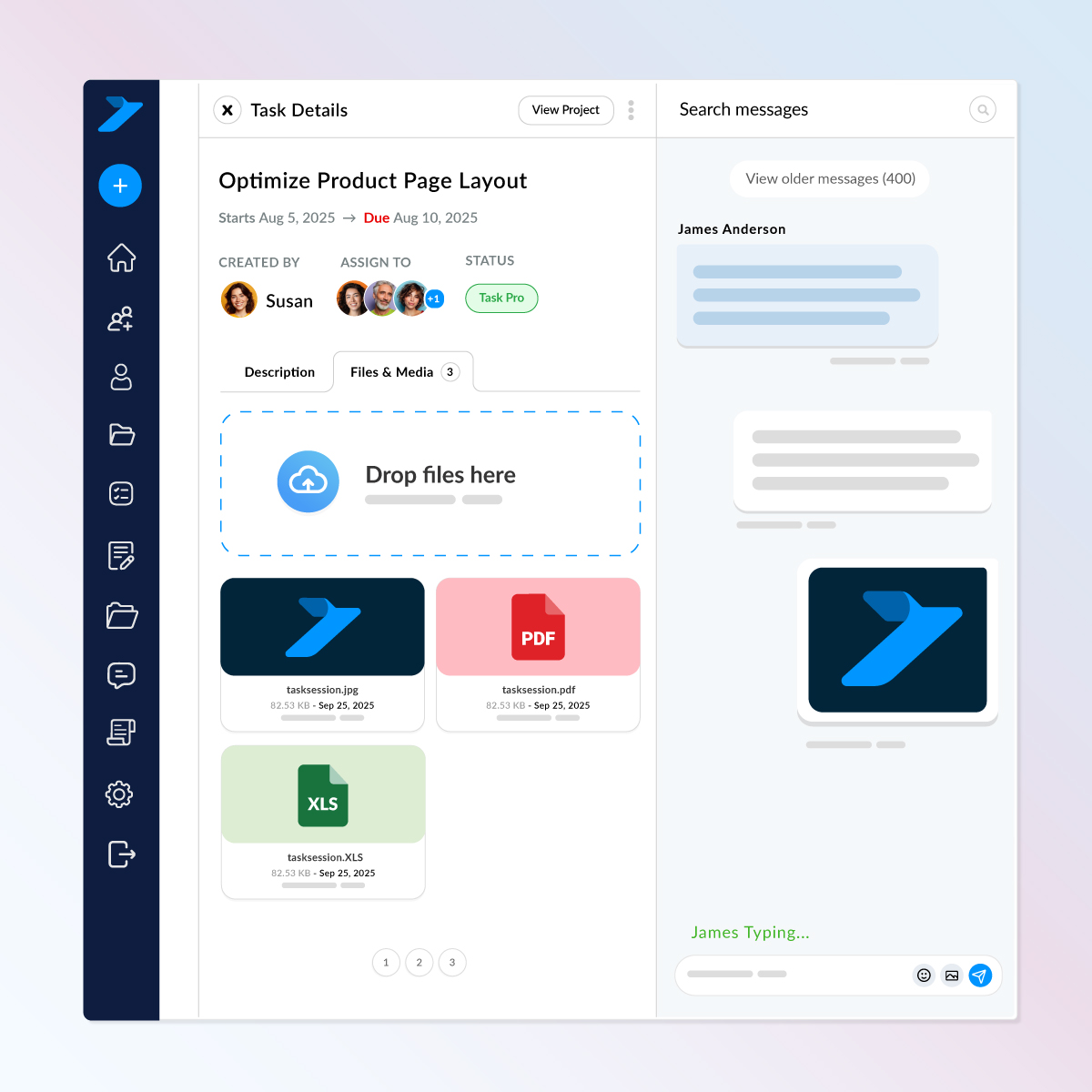
Keep task-specific files organized, accessible, and easy for your whole team to manage.
What Makes This File Area Powerful
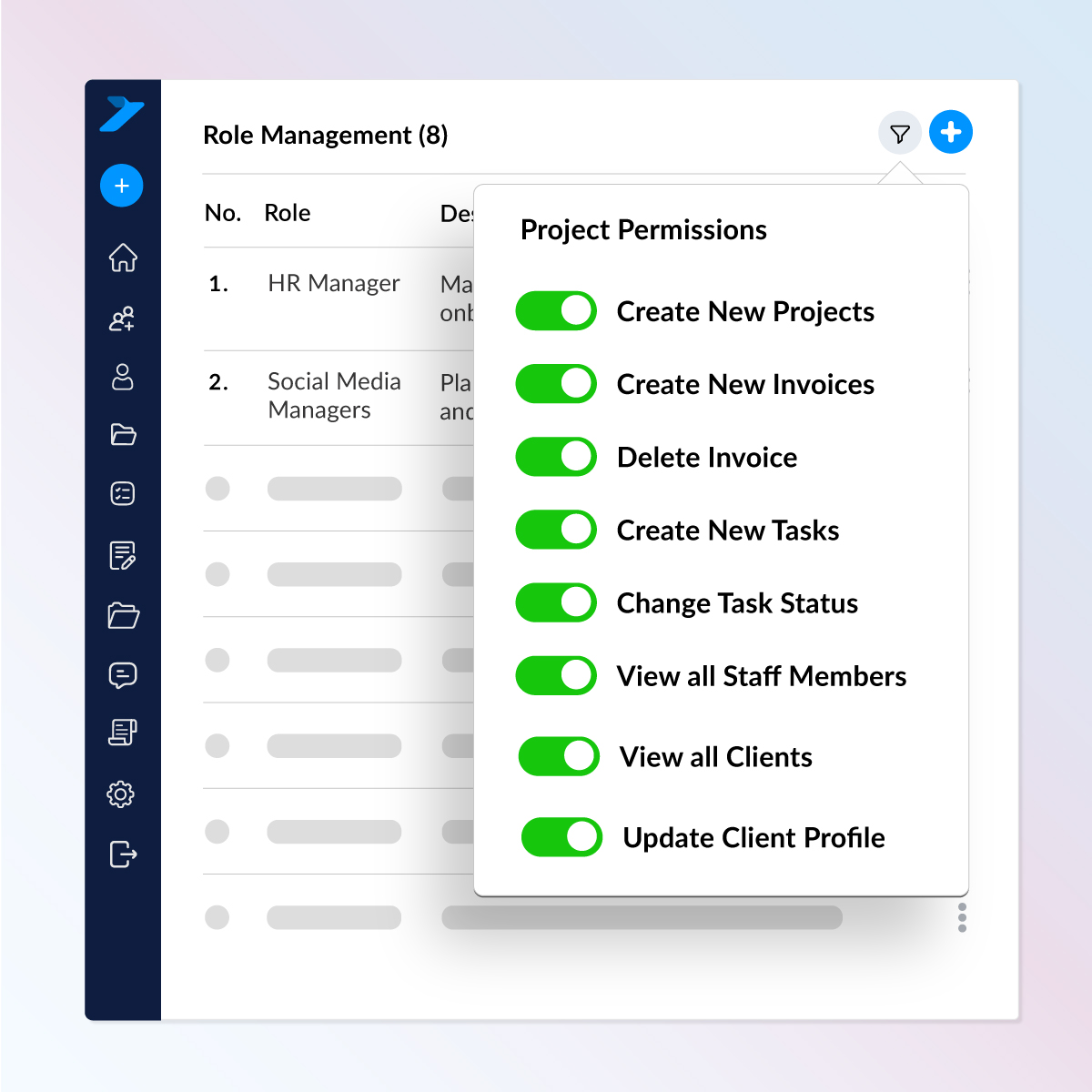
Take full control of your workspace with powerful role-based permissions. Decide who can view, edit, delete, or manage tasks, files, clients, and project settings all with a few clicks.
Key Features

Install TaskSession on your own hosting and keep 100% ownership of your data and system.
www.portal.yourdomain.com
Check out what these customers have to say about us.

Task Session has completely streamlined how we manage projects and clients. The Kanban board and reporting features keep my team on track, and the invoicing system saves us hours every week.


I’ve tried a few CRMs before, but none were as simple and effective as Task Session. The installation was smooth, and the white-label option is a big plus for my business branding.

Our team loves the flexibility of Task Session. From workload management to milestone tracking, everything is in one place. It has made collaboration much easier and stress-free.

The best thing about Task Session is its self-hosted nature. I have full control over my data and can customize branding to match my business. Highly recommended for professionals.

As a growing startup, Task Session helped us stay organized without the heavy costs of bigger CRMs. The system is lightweight, fast, and perfect for managing multiple clients.

We switched to Task Session recently, and it has already boosted our productivity. The dashboard is clean, the reports are insightful and support has been excellent so far.

Task Session finally brought order to our workflow. Our team moves faster, clients stay updated automatically and managing tasks and files has never been this effortless.
Task Session has completely improved how we manage our cases and client communication. Everything is organized, and our team always knows what needs attention next.
The ability to track cases, assign attorneys, and manage billing without confusion has made our firm more efficient and professional.
From hearing schedules to case notes, everything stays structured. It has helped our team stay focused and avoid missed deadlines.
Task Session has brought clarity to our case handling and improved how we communicate with clients. Everything feels structured and easy to manage.
Managing multiple cases used to be overwhelming, but now everything is organized in one place. It has made our daily workflow much smoother.
More Features
Your projects stay organized and your team stays focused with features built to simplify every step of the workflow.