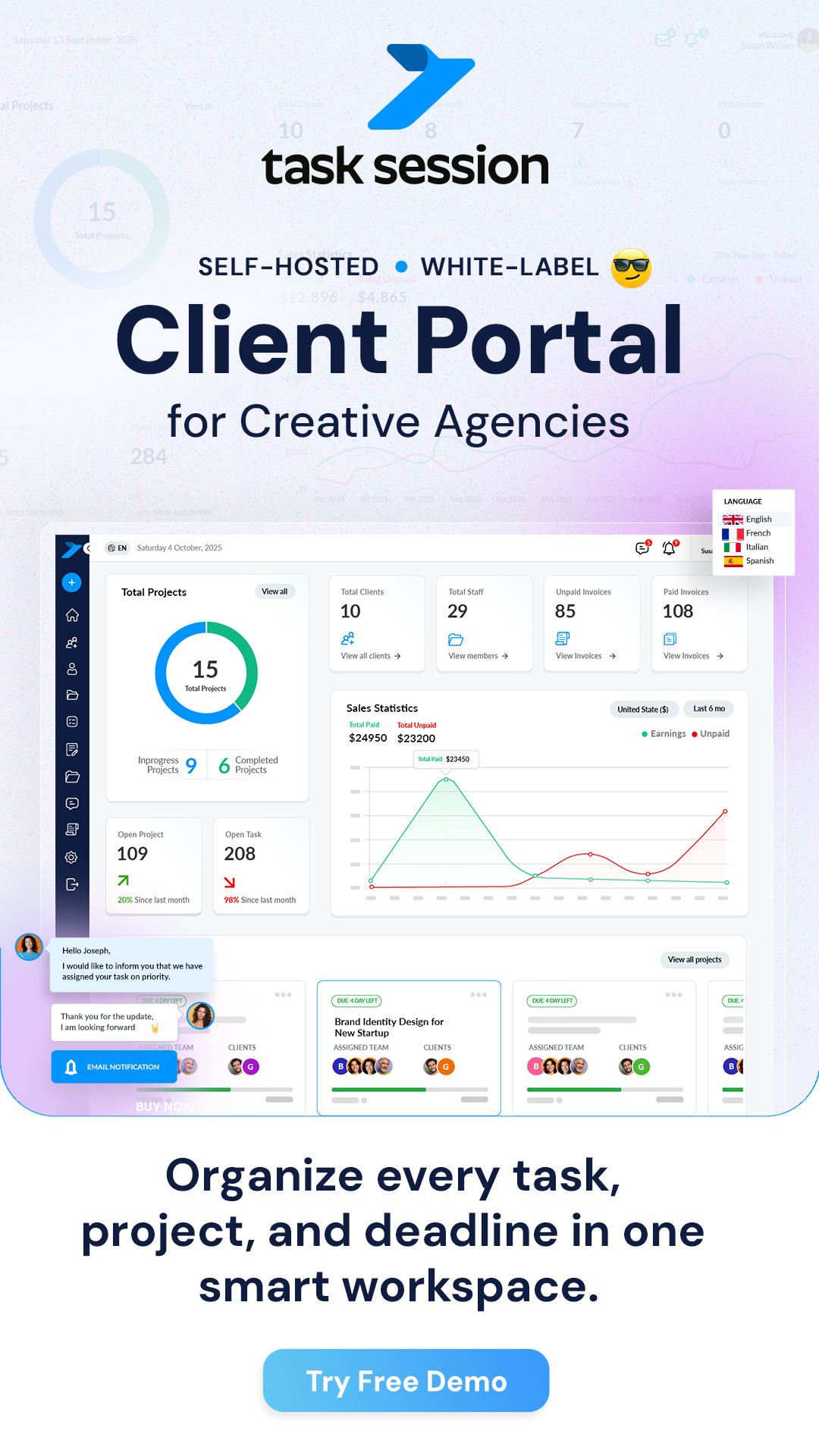
Task Session is a self-hosted project management and client collaboration platform built for freelancers, agencies, and growing teams. Unlike traditional SaaS tools that charge per user every month, Task Session uses a one-time payment model with unlimited users — giving you complete ownership of your data, your server, and your workflow.
Whether you’re a solo freelancer managing a handful of clients or an agency juggling hundreds of projects, Task Session provides a lightweight, powerful system that runs entirely on your own hosting — no subscriptions, no per-seat fees, no vendor lock-in.
Task Session at a Glance
- One-time payment — no monthly subscriptions
- Unlimited users, clients, and projects
- 100% self-hosted — your data stays on your server
- Lightweight (~10 MB) — runs on shared hosting
- White-label ready — brand it as your own
- Multi-language — supports English, Spanish, Italian, and French
- Built for freelancers, agencies, and teams of all sizes
Why Task Session Was Built
Most project management platforms follow the same model: charge per user, per month, forever. As your team grows from 5 to 15 to 50 people, your software bill grows right alongside it. At $10–$30 per user per month, a 20-person team can easily spend $2,400–$7,200 per year on a single tool.
Task Session was created to offer a fundamentally different approach. It’s built on a philosophy of freedom and ownership.
Our Core Values
Freedom — Your data lives on your server. You’re not locked into any vendor’s ecosystem. Export, migrate, or customise at will.
Simplicity — Powerful features without overwhelming complexity. Task Session is designed to be intuitive from day one.Fair Pricing — One licence, one payment. Your software cost doesn’t increase as your team and ambition grow.
Transparency — Clear features, clear pricing, no hidden limits or surprise charges. What you see is what you get.
Core Features Overview
Task Session combines everything you need to manage projects, collaborate with clients, and handle billing — all from a single, self-hosted platform. Here’s what’s included:
Client Portal
Give each client their own branded portal where they can view project progress, download files, communicate with your team, and review invoices — all without needing access to your internal workspace. Clients are onboarded via a form that sets permissions and triggers an automatic email with login access.
Project Management
Create and organise projects with deadlines, milestones, team assignments, and status tracking. Assign multiple clients and team members to each project. Instant email notifications keep everyone informed when projects are created or updated. Handle 5 projects or 500 with the same smooth performance.
Tasks & Kanban Board
Break projects into actionable tasks, assign them to team members, set priorities and due dates, and visualise your entire workflow with a drag-and-drop Kanban board. Create custom columns per project, use personal columns for your own workflow, set recurring tasks, and toggle tasks between “internal only” and “client-visible” to control exactly what clients see.
Invoicing & Payments
Create professional invoices, send them to clients via secure payment links, and track payment status (sent, viewed, paid, overdue) — all within the same platform. Supports Stripe, PayPal, and 2Checkout payment gateways. Set up recurring invoices and automated payment reminders to reduce late payments.
Files & Folders
Upload, organise, and share documents and deliverables with folder/subfolder structures per project. Drag-and-drop uploads, bulk operations, and secure client sharing through the portal. Includes a Media Management dashboard with storage statistics and cleanup tools. Optional Google Drive integration is available for extended file handling.
Real-Time Chat
Communicate with your team and clients in real time. Project-based discussions, task-level chat, team and 1:1 messaging, searchable history, mentions, replies, emoji support, and file sharing in chat. When someone is offline, they receive email alerts so nothing gets missed.
Dashboard & Analytics
Get a bird’s-eye view of your entire operation: active projects, pending tasks, outstanding invoices, payment receivables, staff activity, and client activity — all on one screen.
Notes
Capture meeting notes, internal documentation, SOPs, or project ideas with rich text editing. Notes can be private or shared with specific permissions, and attached to specific projects or clients for easy reference.
White-Label Branding
Remove Task Session branding entirely and replace it with your own logo, colours, and custom domain. Customise email templates and configure SMTP for unbranded notifications. Present the platform to clients as your own proprietary system.
User Roles & Access Control
Task Session uses a role-based access system with three core user types, plus the ability to create custom roles with granular permissions:
Admin — Full access to everything: user management, projects, settings, financial data, payment gateways, branding, and integrations.
Staff — Access limited to assigned projects. Can create and manage tasks, communicate in context, upload files, and participate in internal chat.
Client — Project-specific access through the client portal. Can track progress, review tasks and files, approve work via “Client Review,” communicate with the team, view invoices, and make payments.
Custom roles can be created with granular permissions across projects, tasks, users, files, communication, and financial features — so you can fine-tune exactly what each team member or client can see and do.
Who Is Task Session For?
Task Session is designed to serve a wide range of professionals and teams:
Freelancers — Manage clients, track projects, send invoices, and share deliverables from one tool instead of juggling 4–5 separate subscriptions.
Creative & Design Agencies — Handle multiple client projects, assign tasks to designers and copywriters, use “Client Review” for approvals, share proofs through the portal, and bill efficiently.
SEO & Marketing Agencies — Track campaigns with custom Kanban columns (audit, on-page, off-page, reporting), manage content deliverables, and keep clients informed with portal access.
Law Firms — Organise cases, manage client communications securely, share confidential documents, and track billable work with internal-only vs client-visible task controls.
IT Firms & Developers — Manage sprints with Kanban boards, track bugs and features, deliver client projects, and handle invoicing.
Real Estate Teams — Track property listings, manage client follow-ups, store documents, and coordinate team activities.
Consultants & Sales Teams — Manage client engagements, track deliverables, organise proposals, and maintain billing records.
Accounting & HR Teams — Organise workflows, manage documents, track tasks across departments, and maintain audit trails.
Task Session vs. Traditional SaaS Tools
Here’s how Task Session compares to the typical per-seat SaaS project management tools:
| Feature | Task Session | Typical SaaS Tools |
|---|---|---|
| Pricing Model | One-time payment | $10–$30/user/month |
| Users Included | Unlimited | Charged per seat |
| Data Hosting | Your own server | Vendor’s cloud |
| Data Ownership | 100% yours | Vendor controls access |
| White-Label Branding | Full customisation included | Limited or paid add-on |
| Vendor Lock-In | None — self-hosted | Tied to subscription |
| Payment Gateways | Stripe, PayPal, 2Checkout | Varies by platform |
| Client Portal | Built-in with full permissions | Often a paid add-on |
| Scales With Team Growth | No extra cost | Cost increases per user |
| Software Size | ~10 MB (lightweight) | Cloud-dependent |
Real-World Cost Savings
Let’s look at what a typical agency spends using a per-seat SaaS tool versus Task Session:
| Scenario | SaaS Tool (~$15/user/mo) | Task Session |
|---|---|---|
| 5-person team (Year 1) | $900/year | One-time licence fee |
| 5-person team (Year 3) | $2,700 total | Same one-time fee |
| 15-person team (Year 1) | $2,700/year | Same one-time fee |
| 15-person team (Year 3) | $8,100 total | Same one-time fee |
| 50-person team (Year 1) | $9,000/year | Same one-time fee |
| 50-person team (Year 3) | $27,000 total | Same one-time fee |
? The bigger your team grows, the more you save. Task Session’s one-time licence means your software cost stays flat whether you have 5 users or 500.
Performance & Security
Task Session is built with performance and security as core priorities. The entire application is only ~10 MB, making it one of the most lightweight project management tools available.
Fast loading — Pages load quickly even on shared hosting plans with limited resources.
Low server requirements — Runs on virtually any PHP 8+ hosting environment. No need for expensive VPS or dedicated servers to get started.
Encrypted & secure — Built-in encryption, role-based access control, session timeout settings, password policies, login attempt limits, and two-factor authentication support.
Reliable at scale — Handles small freelance setups and large agency operations (500+ projects) with the same consistent performance.
Active security maintenance — Regular updates and security patches keep your installation protected. One-click updates make it easy to stay current.
Support When You Need It
Task Session comes with support from real product experts — not chatbots or scripted responses. When you need help with installation, configuration, or any feature, you can submit a ticket at tasksession.com/ticket and get assistance from people who understand your workflow.
Task Session also includes free installation support, so you can get up and running without any technical hassle.
Getting Started
Ready to take control of your project management? Here’s how to get started:
Step 1: Purchase Your Licence
Visit tasksession.com and choose the plan that fits your needs. One payment gives you access with unlimited users. Your licence is tied to your domain.
Step 2: Install on Your Server
Upload the lightweight ~10 MB package to your hosting. Visit /install/ in your browser, and the install wizard will walk you through requirements checks, database setup, and admin account creation. Free installation support is included if you need it.
Step 3: Secure Your Instance
After installation, delete the /install/ folder immediately — this is a critical security step. Set strong passwords, configure login attempt limits, and enable SSL/HTTPS.
Step 4: Configure Your Workspace
Set your timezone, currency, and language. Add your branding (logos, colours, themes). Configure SMTP for email notifications. Set up payment gateways (Stripe, PayPal, or 2Checkout).
Step 5: Add Your Team & Clients
Create staff users and assign roles/permissions. Onboard clients via the onboarding form — they’ll receive an email with login credentials automatically.
Step 6: Go Live
Create your first project, add tasks to the Kanban board, share client portal access, and send your first invoice. You’re ready to manage everything from one centralised platform.